10 Best AI Sentiment Analysis Tools in 2026, Compared
Ten AI sentiment analysis tools for 2026 compared by channel coverage, real-time action, QA, dashboards and fit, with a plain guide to choosing one for a contact center.

Key highlights
TL;DR: In a Nutshell
- AI sentiment analysis helps teams understand customer emotion across calls, chats, emails, tickets, surveys, and reviews
- The best tool depends on your channels, workflows, reporting needs, integrations, and security requirements
- For contact centers, real-time voice sentiment matters because frustration and urgency often show up during live calls
- Strong tools connect sentiment insights to escalation, rep coaching, QA, dashboards, and customer risk detection
- Orvera AI, our own product and listed last, fits CX teams that want AI agents, human-agent assist and QA on one platform
- Labeling sentiment is step one. The goal is to understand what happened, why it happened, and what the team should do next
Contact center sentiment analysis reads customer conversations for emotion, tone and intent, then turns those signals into something a team can act on. It runs in two places. Post-call, it analyzes conversations across voice, chat, email and messaging, so leaders see sentiment trends by call type, product, queue and rep. Live, during the call, some platforms flag frustration or urgency so a supervisor or rep can step in before the customer hangs up unhappy. Buyers use it to catch at-risk customers early, coach reps, find the scripts and processes behind repeat complaints, and give QA a broader view of conversations.
10 Best AI Sentiment Analysis Tools in 2026
The best AI sentiment analysis tool depends on where customer conversations happen and what the team needs to do with the insight. Some platforms are stronger for live voice calls. Others are better for quality assurance, digital feedback, marketing attribution, or large-scale conversation analytics.
For contact centers, the bigger question is whether the tool can help teams act while the customer is still in the conversation, route the right calls to human reps, and give leaders clear reporting after the interaction ends.
1. Observe.AI
Observe.AI is a strong option for contact centers that want to connect conversation insights with quality assurance, coaching, compliance monitoring, and agent performance improvement. It works well when supervisors need more visibility into how customer conversations are handled.
For sentiment analysis, the value is in connecting customer emotion with QA review, coaching moments, and supervisor visibility. This helps teams move from random call sampling to broader conversation review.
Best for
Observe.AI is best for support teams and contact centers that prioritize QA, coaching, and performance management. It fits teams that want to understand what reps are doing well, where conversations break down, and where coaching can improve outcomes.
It is also useful for supervisors who need a consistent way to review conversations, monitor compliance, and identify repeated customer issues.
Strengths
Observe.AI's strengths include automated QA, conversation intelligence, coaching workflows, compliance review support, and agent performance trends. These capabilities help managers connect sentiment signals to coaching and operational improvement.
For teams with high call volume, broader QA visibility can reduce the risk of relying only on a small sample of reviewed calls.
Considerations
Observe.AI is best suited to teams that want sentiment inside QA and coaching workflows, alongside their existing contact center, telephony and automation stack.
The right fit depends on whether the buyer's main goal is QA visibility, rep coaching, live AI call handling, or all of these together.
2. CallMiner
CallMiner is a strong choice for teams that need detailed conversation analytics across large volumes of customer interactions. It is useful when leaders want to understand themes, intent, sentiment, compliance risks, and recurring customer pain points across voice and digital channels.
Best for
CallMiner is best for large organizations with high conversation volume and mature analytics needs. It fits teams that want to mine conversations for trends, compliance issues, product feedback, service gaps, and customer experience risks.
It is a good fit when the goal is to understand why sentiment is changing across thousands or millions of interactions.
Strengths
CallMiner's strengths include deep analytics, topic detection, sentiment tracking, compliance visibility, and trend discovery. These are useful for teams that need to connect customer conversations with business decisions.
It moves leaders beyond individual call review to what is happening across the full conversation base.
Considerations
CallMiner is best suited to teams with mature analytics workflows. The platform is strongest when the organization has enough conversation volume, reporting needs, and internal ownership to use the insights well.
See how Orvera connects AI agents with live escalation cues. (opens in a new tab)3. NICE CXone
NICE CXone is a strong option for teams that want sentiment analytics as part of a broader contact center platform. It is built for teams that need routing, workforce management, quality management, analytics, and customer interaction intelligence in one environment.
Best for
NICE CXone is best for large regulated teams in industries like finance, healthcare, and insurance. It fits organizations that already need a mature contact center platform with sentiment analytics built in.
It is also a fit for teams that want sentiment data to sit beside workforce, routing, quality, and performance data.
Strengths
NICE CXone's strengths include scalability, contact center analytics, workforce tools, quality management, routing, and compliance-friendly workflows. These capabilities are useful when sentiment analysis needs to support a larger operating model.
For mature contact centers, the value is in connecting customer emotion with operational decisions, supervisor visibility, and performance improvement.
Considerations
NICE CXone is best suited to mature environments with dedicated contact center technology owners.
Smaller teams should check whether they need the full platform or a more focused sentiment analysis tool.
4. Genesys Cloud CX
Genesys Cloud CX is a strong option for teams that need sentiment visibility across voice, chat, digital support, routing, workforce data, and customer journeys. It fits teams that want sentiment analysis inside a larger omnichannel contact center environment.
This makes it useful for teams that need to analyze more than one channel and connect insights to contact center operations.
Best for
Genesys Cloud CX is best for global organizations that need omnichannel analytics, scalability, and contact center management. It fits teams that handle customer conversations across voice, chat, messaging, and digital channels.
It is also useful when leaders want customer journey data, workforce data, and quality insights connected in one operating model.
Strengths
Genesys Cloud CX's strengths include omnichannel coverage, routing, speech and text analytics, workforce visibility, quality management, and AI-supported customer journeys. These capabilities help teams connect sentiment with broader contact center performance.
It works well for organizations that need to manage complex customer journeys across multiple teams, regions, and support channels.
Considerations
Genesys Cloud CX is best suited to teams that plan pricing, setup, configuration and internal ownership as part of a broader contact center program.
Teams should check which analytics, workforce, and AI features are included in their plan and which require additional configuration.
5. Talkdesk
Talkdesk is a good option for teams that want modern contact center workflows, AI agents, sentiment-related insights, and customer service automation. It fits organizations that want to connect support operations with AI and real-time customer data.
Best for
Talkdesk is best for teams that want a modern contact center platform with AI capabilities. It fits teams that want to improve service workflows without building every process from scratch.
It can be useful for teams that need contact center automation, integrations, agent support, and analytics in one cloud environment.
Strengths
Talkdesk's strengths include modern user experience, AI workflows, contact center automation, sentiment-related insights, and integrations. These strengths matter when teams want AI inside daily customer service workflows as well as reporting.
Considerations
Advanced AI and analytics capabilities may depend on the selected plan, configuration, or add-ons. Buyers should confirm which sentiment, reporting, automation, and integration features are included before choosing a package.
Teams with highly specialized workflows should also check how much configuration is needed before rollout.
6. Verint
Verint is a strong fit for teams that need sentiment analysis connected with workforce engagement, quality management, compliance, and operational analytics. It is useful when customer emotion is only one part of a larger performance and risk picture.
Best for
Verint is best for large contact centers with compliance, QA, workforce performance, and reporting needs. It fits industries where customer conversations need to be reviewed carefully and consistently.
It is also useful for organizations that want sentiment analysis connected to workforce engagement, quality programs, and compliance oversight.
Strengths
Verint's strengths include speech analytics, sentiment and emotion analysis, compliance monitoring, QA, workforce engagement, and reporting. These capabilities help leaders understand what customers are feeling and how teams are performing.
For regulated operations, the compliance and QA connection is often as important as the sentiment score itself.
Considerations
Verint is built for broader customer engagement and workforce programs. It is best suited to teams that want sentiment inside that wider scope.
Buyers should check implementation requirements, reporting ownership, and how the platform fits their existing contact center stack.
7. Sprinklr Service
Sprinklr Service is useful for organizations that need sentiment analysis across social, messaging, digital support, and broader customer experience channels. It is a strong fit for brands that manage large volumes of customer conversations outside the traditional call center.
Best for
Sprinklr Service is best for brands with large digital support operations, high social volume, and messaging-heavy customer service. It fits teams that need a broad view of customer sentiment across channels.
It is especially useful for companies where social comments, direct messages, reviews, and support conversations all shape the customer experience.
Strengths
Sprinklr's strengths include broad channel coverage, social listening, digital sentiment analysis, customer engagement tools, and reporting. These are useful when teams need to spot negative sentiment before it becomes a larger brand or support issue.
It also helps teams manage customer conversations that are spread across many public and private channels.
Considerations
Sprinklr is best suited to teams whose sentiment work spans social, messaging and digital channels as well as the contact center. As of October 5, 2026, Sprinklr's own site (opens in a new tab) describes Sprinklr Service as an AI contact center platform with inbound voice and VoiceConnect.
The fit depends on whether the team's biggest sentiment problem sits in digital channels, voice calls, or both.
8. Invoca
Invoca is useful for teams that want to connect call sentiment and conversation intelligence with marketing attribution, revenue tracking, and buyer journey analysis. It works well when phone calls are a major conversion channel.
For sentiment analysis, Invoca is useful when teams want to connect how callers feel with whether they became a lead, booked an appointment, received a quote, or converted.
Best for
Invoca is best for marketing, sales, and revenue teams that depend on phone calls as conversion channels. It fits industries where buyers research online but finish the decision over the phone.
It is especially useful when teams need to prove which campaigns are driving quality calls and what happens during those calls.
Strengths
Invoca's strengths include call attribution, revenue intelligence, conversation analytics, sentiment signals, conversion insights, and campaign performance tracking. These capabilities help marketing teams connect call quality with campaign spend.
It is helpful when the team asks two questions: "Was the caller upset?" and "Did the call drive revenue or show buying intent?"
Considerations
Invoca is best suited to marketing, revenue and call attribution use cases.
As of October 5, 2026, Invoca's own site (opens in a new tab) describes its contact center solution as AI agents and quality management, with quality assurance and intelligent call routing. Contact center teams should map which of their QA, routing and workforce needs Invoca covers and which sit with their existing contact center platform.
9. Thematic
Thematic is useful for teams that want to analyze customer feedback from surveys, reviews, tickets, calls, social, and open-text responses. It is a strong fit when the goal is to understand themes and sentiment across unstructured feedback.
For sentiment analysis, Thematic shows which themes drive each positive, neutral, or negative label.
Best for
Thematic is best for CX, Voice of Customer, product, and insights teams that want to understand customer feedback at scale. It fits teams that collect feedback from many sources but struggle to connect the comments into a clear story.
It is useful when leaders need to prioritize product fixes, service improvements, customer experience changes, or retention work based on repeated feedback themes.
Strengths
Thematic's strengths include text analytics, theme detection, feedback clustering, sentiment tracking, and Voice of Customer reporting. These capabilities help teams find repeated problems across surveys, reviews, tickets, calls, and social feedback.
It is especially useful when customer comments are spread across many systems and teams need one traceable source of insight.
Considerations
Thematic is best suited to feedback analysis across surveys, support tickets and call center transcripts.
Thematic works best when the main need is to understand feedback patterns after customers have shared their comments.
Explore sentiment-aware escalation for contact centers. (opens in a new tab)10. Orvera AI (our product)
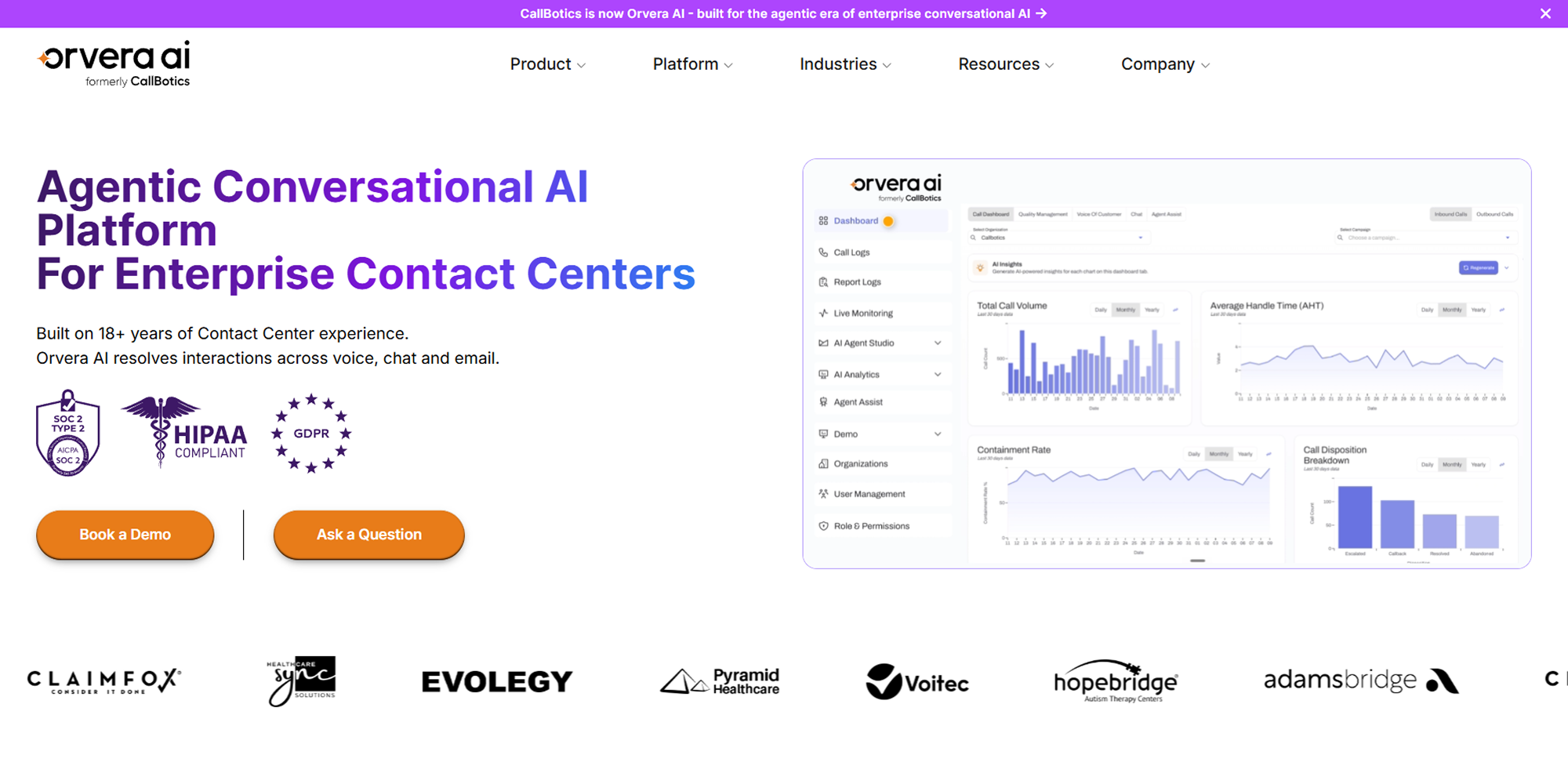
Orvera AI fits CX teams that want one platform across AI agents, human-agent assist and QA. Sentiment comes from Voice of Customer analysis of AI-handled and human-handled conversations, and live escalation cues reach reps while calls are active.
This matters when a caller needs a person. The AI agent keeps routine conversations moving, and sensitive calls go to a human rep with the right context attached.
Best for
Orvera fits contact centers and CX teams that want AI agents and human reps on one platform. It suits teams that care about resolved calls, human handoff with context, and QA across AI-handled and human-handled conversations.
It suits leaders who want sentiment signals connected to call flows, escalation rules and reporting.
Strengths
Orvera runs AI agents and the human-agent layer on one platform. Voice of Customer mines conversations for themes, drivers and sentiment, and Agent Assist flags escalation cues live so a rep can step in when the conversation needs human judgment.
Orvera also provides Auto QA across AI-handled and human-handled conversations, reporting with summaries and transcripts for every interaction, and 500+ integrations with CCaaS, CRM and helpdesk systems. That gives contact center leaders a clearer view of customer emotion, call outcomes, and where the operation needs better scripts, rules, or rep support.
Considerations
Highly complex workflows still need setup, process mapping, training, and customization. Sentiment logic has to match the business rules, escalation paths, customer risk levels, and industry language used by the team.
On a direct deployment, the Orvera team runs the implementation, and full deployment typically completes in 3 to 6 weeks, based on Orvera customer averages. Buyers should prepare call examples, escalation rules, compliance requirements, and workflow owners before rollout so the AI agent reflects how the business actually works.
Quick Comparison Table of the Best AI Sentiment Analysis Tools
The right choice depends on where customer conversations happen, how sentiment insights will be used, and whether the business needs real-time action, contact center analytics, customer feedback analysis, or AI voice automation.
| Tool | Best use case | Core strength | Deployment fit | Ideal customer |
|---|---|---|---|---|
| Observe.AI | QA and agent performance management | Automated QA, coaching, compliance monitoring, and sentiment visibility | Mid-market to enterprise | Contact center operations and QA leaders |
| CallMiner | Deep conversation analytics | Topic detection, sentiment analysis, intent tracking, and compliance insights | Enterprise | Large organizations with high conversation volume |
| NICE CXone | Workforce optimization and contact center analytics | Enterprise analytics, routing, workforce management, and sentiment insights | Enterprise | Regulated industries and large support organizations |
| Genesys Cloud CX | Omnichannel sentiment visibility | Customer journey analytics across voice and digital channels | Enterprise | Global contact centers and customer service teams |
| Talkdesk | AI-driven contact center workflows | AI automation, customer service workflows, and sentiment-related insights | Mid-market to enterprise | Customer support and service operations |
| Verint | Workforce engagement and compliance analytics | Speech analytics, QA, compliance monitoring, and workforce reporting | Enterprise | Compliance-focused contact centers |
| Sprinklr Service | Digital and social sentiment analysis | Omnichannel customer engagement and social listening | Enterprise | Brands with large digital support operations |
| Invoca | Marketing and revenue-focused call analytics | Call attribution, conversation intelligence, and sentiment signals | Mid-market to enterprise | Marketing, sales, and revenue teams |
| Thematic | Customer feedback and VoC analysis | Theme detection, text analytics, and feedback intelligence | Mid-market to enterprise | CX, Voice of Customer, and product teams |
| Orvera | Customer experience across AI agents, Agent Assist and QA | Voice of Customer sentiment, live escalation cues, and Auto QA across AI-handled and human-handled conversations | Built, deployed and run by Orvera | Contact centers and CX teams |
How to Choose the Best AI Sentiment Analysis Tool
The best AI sentiment analysis tool should match how your contact center actually works. Start with the business goal, then check the channels, team size, integrations, reporting needs, and security requirements. A tool that looks strong in a demo may still fail if it cannot read the right conversations, connect to your systems, or give managers insights they can act on.
As of October 5, 2026, we reviewed each vendor's own product and documentation pages against the criteria in this section.
Orvera AI publishes this guide. We list our own platform last and label it, so you can judge it on the same criteria as the others.
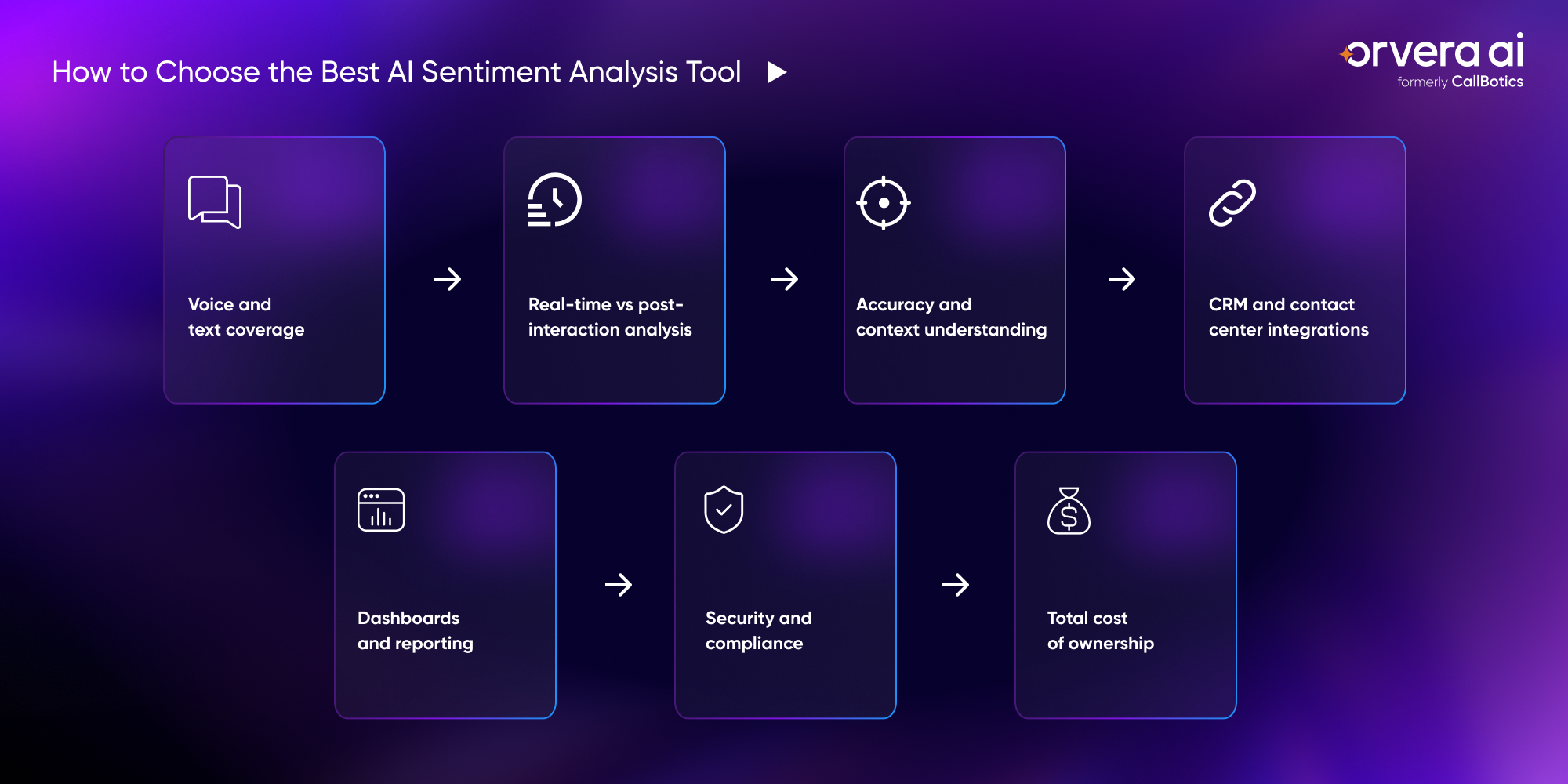
Voice and text coverage
Start by checking which channels the tool can analyze. Some tools only review written text, such as chats, emails, tickets, surveys, and reviews. That may be enough for digital support teams, but it can miss a large part of the customer experience if most issues still happen over calls.
For contact centers, voice coverage matters because tone, pauses, urgency, and frustration often show up during live conversations. The right tool should help teams understand sentiment across the channels customers actually use, including the channels that are hardest to measure.
Real-time vs post-interaction analysis
Real-time sentiment analysis helps teams understand customer emotion while the conversation is still happening. This is useful when a caller is frustrated, confused, or at risk of escalating. It gives supervisors and reps a chance to act before the customer leaves unhappy.
Post-interaction analysis is still useful, but it solves a different problem. It helps teams review trends after calls, chats, emails, or tickets are closed. The best choice depends on whether the team needs live intervention, long-term reporting, or both.
Accuracy and context understanding
Sentiment analysis should not judge emotion from keywords alone. A customer may say the right words and still sound upset. Another customer may use sarcasm, industry terms, or short replies that need context to understand correctly.
A strong tool should read tone, words, intent, and conversation history together. This matters in industries like healthcare, financial services, insurance, travel, and utilities, where the same phrase can mean different things depending on the customer's situation. See how this plays out in healthcare contact centers (opens in a new tab).
CRM and contact center integrations
Sentiment data loses value when it stays in a separate dashboard. Teams need those insights connected to customer records, tickets, agent workflows, and escalation rules. Otherwise, managers can see the problem, but reps may not have the context they need during the next interaction.
Integrations also help teams move from insight to action. For example, a negative sentiment signal can update a ticket, flag a customer record, route a call to a human rep, or trigger a follow-up workflow. The tool should fit into the systems the team already uses.
Dashboards and reporting
Managers need dashboards that show what is happening clearly. A good dashboard should help teams track sentiment trends, customer risk, agent performance, repeat issues, and workflow gaps without forcing leaders to dig through raw transcripts.
The reporting should also support coaching and operational improvement. Leaders should be able to see which scripts create confusion, which call types drive frustration, and where customers are most likely to need help from a human rep.
Security and compliance
CX teams should check how the tool handles customer data before they review features. Sentiment analysis may process call recordings, transcripts, tickets, emails, and customer records, so privacy and access control cannot be treated as afterthoughts.
Buyers should review compliance standards, user permissions, data retention rules, audit access, and how customer data is used. This is especially important for regulated industries where one weak data-handling process can create legal, security, and trust issues.
Total cost of ownership
This guide lists no prices because vendors change them often. Ask each shortlisted vendor for a written total. The license price is one part of the cost. Buyers should also review setup cost, integration work, training time, analytics usage, reporting limits, support requirements, and the cost of scaling across more teams or channels.
A cheaper tool can become expensive if it needs heavy setup, extra reporting tools, or manual work from managers. Ask for that written total to cover setup, integration and scaling, so the number you approve is the number you pay.
How Orvera Handles AI Sentiment Analysis
Contact centers need a way to see customer emotion during the conversation, route sensitive calls with context, and turn sentiment patterns into better workflows. Orvera AI is an AI agent company for customer experience teams, built on 18+ years of contact-center experience. It runs AI agents across voice, chat and digital channels and gives human reps Agent Assist, AI Auto QA and Voice of Customer on the same platform.
Live escalation cues during voice calls
Customer emotion often shows up before the customer says the exact problem. A caller may sound frustrated, rushed, confused, or close to giving up. Orvera's Agent Assist flags escalation cues while the call is still active, and Voice of Customer mines conversations for sentiment after it ends.
- Reps see escalation cues during live voice conversations
- Supervisors review summaries and transcripts for every interaction
- Reps get approved knowledge and next-best actions during complex conversations
AI agents and human reps on one platform
A billing question, a complaint and an urgent service issue each need different handling. Orvera runs AI agents and human reps on one platform, so routine calls stay with the AI agent and sensitive moments can be handled with more care (opens in a new tab).
- Agent Assist surfaces approved knowledge and next-best actions for the rep
- Urgent calls move to a human rep with an automated conversation summary attached
- Routine calls stay with the AI agent, and calls that need judgment go to a rep
Better escalation and human handoff
Some calls belong with a person. When a conversation needs judgment, empathy or risk review, Orvera hands it to a human rep with a conversation summary attached, so the customer picks up where they left off.
- High-risk or emotionally charged conversations can be escalated to a human rep
- The rep receives an automated conversation summary, and the full transcript is kept for every interaction
- Agent Assist flags escalation cues so the rep knows when to step in
Actionable analytics for CX teams
Sentiment data is only useful when it changes how the contact center runs. Orvera's Voice of Customer mines conversations for themes, drivers and sentiment, and Auto QA covers both AI-handled and human-handled conversations. Across Orvera's customer engagements, CSAT shows double-digit improvements on average as that feedback flows back into operations. That gives leaders a clearer view of where customers are getting stuck and where teams need better guidance.
- CX leaders can identify scripts or flows that create repeated frustration.
- QA and operations teams can use sentiment trends to improve coaching and support quality.
- Customer emotion insights show retention risks before they become repeat complaints.
Conclusion
AI sentiment analysis now works during the conversation as well as in the report. It helps teams understand customer emotion during calls, chats, emails, tickets, surveys, and reviews. That matters because frustration, urgency, and confusion often show up before a customer complains directly. The right tool helps teams spot those signals earlier, support reps better, improve escalation, and reduce the risk of losing customers.
For CX teams choosing an AI sentiment analysis tool in 2026, the focus should stay practical. Look for a platform that fits your channels, connects with your workflows (opens in a new tab), gives managers clear dashboards, and supports real action. The strongest tools tell teams what happened, why it happened, and what to do next.
Frequently asked questions
The best AI sentiment analysis tool depends on your channels, workflows, and reporting needs. Compare each tool on voice coverage, real-time analysis, integrations and compliance. Orvera AI is one option for CX teams that want AI agents, Agent Assist and QA on one platform.
AI sentiment analysis reviews customer conversations to detect emotion, tone, intent, and context. It helps teams understand frustration, urgency, satisfaction, and risk across calls, chats, emails, tickets, and feedback.
Yes. AI can analyze voice calls for tone, pace, pauses, wording, and emotional signals while the conversation is happening or after it ends.
The main use cases include live escalation, agent coaching, customer risk detection, quality review, churn prevention, script improvement, and customer experience reporting.
Orvera's Voice of Customer mines AI-handled and human-handled conversations for themes, drivers and sentiment, and Agent Assist flags escalation cues to reps while calls are live. Reporting carries summaries and transcripts for every interaction.

Written by
Anindita Majumder
Anindita Majumder is a communications professional with nearly four years of experience in public relations, corporate communications, and journalism. She creates content that helps brands communicate their vision, products, and expertise through press releases, thought leadership, and editorial pieces. Outside of work, she is a vocalist, which keeps her creativity flowing.