Bland AI Review 2026: Features, Pros & Cons
Bland AI is built for control. It lets teams define how voice agents route calls, trigger APIs and handle complex logic in real time, and this review covers its features, pricing, pros and cons.

Key highlights
TL;DR: Bland AI in a Nutshell
- This Bland AI review breaks down the platform’s features, pricing structure, and real-world trade-offs.
- Bland AI is designed for deep control, allowing teams to define call routing, trigger APIs, and manage complex voice workflows.
- The platform follows a developer-led operating model, using Personas, Pathways, and integrations that require technical ownership in production.
- Bland AI runs on a self-hosted model stack with dedicated servers and GPUs, making it appealing for companies with strict data and security needs.
- Pricing combines monthly plans with multiple usage-based charges, which can complicate forecasting as call volumes, retries, and transfers grow.
- Bland AI works best for teams that are comfortable managing ongoing testing, QA, and iteration internally.
- For customer service teams focused on fast deployment, built-in Auto QA and analytics, and first-contact resolution of roughly 80% (an Orvera customer average), Orvera is often the more practical Bland AI alternative.
Bland AI is built for control. It lets teams define how voice agents route calls, trigger APIs, and handle complex logic in real time. That power makes it a favorite among technical teams, and also why it can feel overwhelming for everyone else.
Bland AI is often evaluated by technical teams that want high-volume calling, API-level control, and the ability to connect voice conversations to real systems (CRMs, scheduling tools, internal APIs) so the agent can actually perform actions rather than just talk.
This Bland AI review takes a closer look at the platform’s features, pricing model, real-world pros and cons, and how it compares to Orvera for production-grade conversational voice AI.
Short answer: Bland AI is a voice automation platform for deploying AI phone agents that handle calls and take actions during them, such as inbound triage, scheduling, reminders and lead qualification. It is built for technical teams that want API-first control and high call volumes, while non-technical teams often still need developers for integrations and complex logic.
What Is Bland AI?
Bland AI is a voice automation platform that helps businesses deploy AI phone agents to handle conversations and take actions during calls. In practice, teams use it for:
- Inbound support and triage
- Basic FAQs
- Routing
- Status checks
- Outbound workflows
- Reminders
- Follow-ups, confirmations
- Collections
- Operational calls
- Scheduling
- Lead qualification
- Verification-style flows
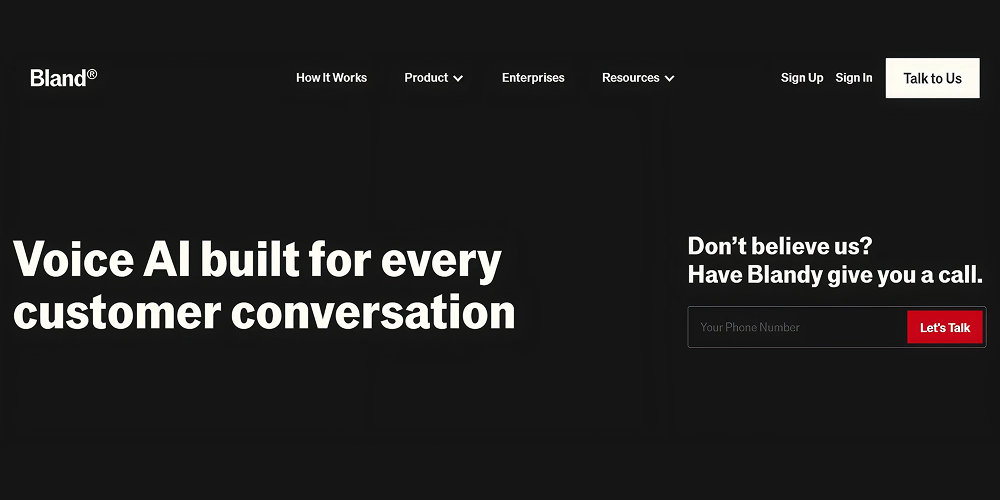
Caption: Bland AI lets you automate phone calls with conversational AI
Bland AI positions itself as a voice platform, emphasizing control and infrastructure. It also highlights that its system can run on dedicated infrastructure and reduces reliance on third-party model providers (important for teams with privacy or governance requirements).
Who should use Bland AI?
- Teams that want developer flexibility (API-first control, custom tools, integrations).
- Ops teams that can support iteration and ongoing workflow tuning.
- Companies that need voice automation tied to internal systems and security posture.
How Does Bland AI Work?
Bland AI follows a structured setup process that consists of agent configuration, conversation logic, and system integrations. This section of the Bland AI review outlines the core steps teams follow to build, deploy, and operate AI voice agents on the platform.
1. Define an agent (Persona)
Bland AI uses Personas to configure agent behavior, voice style, conversation rules, and routing logic. You can tune call behavior, such as waiting for a greeting and interrupt sensitivity (useful for making conversations feel more natural).
2. Map conversation logic (Conversational Pathways)
Bland AI has Conversational Pathways, which are structured pathways/nodes that help you guide the conversation instead of relying on a single prompt. This is especially useful for multi-step workflows and controlling how the agent responds at different stages of a call.
3. Connect tools and integrations
Bland AI can connect to external systems using tools and integrations so that the agent can do things like:
- Create/update CRM records
- Book appointments
- Query a knowledge base
- Trigger follow-up actions
4. Run inbound/outbound calls and iterate
Once live, teams monitor results and review call outcomes. Based on the outputs, they can refine prompts, flows, and tooling. This iteration loop matters because voice automation quality usually improves through continuous tuning.
Core Bland AI Features
Bland AI’s feature set is designed around flexibility and scale. This part of the Bland AI review shows how teams build voice agents, manage conversations, and connect calls to real business systems.
Personas & Pathways
One of Bland AI’s features includes a visual configuration experience through Personas and Pathways. Personas include routing rules and call behavior settings (like interruption thresholds), while Pathways support structured flow control.
That said, Bland AI is still largely developer-led in real deployments. Non-technical teams can adjust high-level behavior, but deeper workflows (tool logic, edge-case handling) usually require technical ownership.
Self-Hosted Model Stack
Bland AI runs on a self-hosted model stack designed for organizations that need tighter control over latency, data, and infrastructure. Instead of sharing resources, Bland provides dedicated servers and GPUs on the client’s own infrastructure, allowing teams to run voice agents in isolation.
This approach helps reduce latency while improving observability and security. All conversation data is encrypted and stored in the customer’s dedicated environment, which is important for regulated industries or teams with strict data governance requirements. The trade-off is that this infrastructure-first model typically suits complex, high-control deployments better than lightweight ones.
Integrations
Bland AI emphasizes integrations that connect voice to business systems. Its integrations platform highlights connectors with:
- Twilio
- Salesforce CRM
- Calendly
- Notion
- SMS integration (noted for enterprise customers)
These are designed so agents can update records, book meetings, and trigger workflows without manual follow-up.
Advanced Voice & Speech Features
Bland AI offers a range of voice customization features aimed at teams that want more control over how agents sound and behave during live calls. Its text-to-speech system supports voice cloning from a short MP3 or audio clip, without requiring traditional fine-tuning workflows.
In addition to cloning, teams can control emotion and speaking style dynamically using in-context examples or special markers such as “excited” or “calm”.
Bland AI Pricing
Bland AI pricing (opens in a new tab) includes a tiered subscription model combined with usage-based billing.
While the monthly plan sets access limits and features, most of the real-world cost is driven by call usage, especially connected minutes and transfers. This means Bland AI’s total spend increases as call duration, retries, and transfers scale.
As of October 8, 2026, Bland AI's pricing page lists Start, Build and Enterprise, and its billing docs also list a Scale plan and a single-number Agent Phone plan. The table shows the four plans sized by call volume.
| Plan | Monthly Price | Daily Call Limit | Hourly Call Limit | Concurrent Calls | Voice Clones |
|---|---|---|---|---|---|
| Start | No platform fee | 100 | 100 | 10 | 1 |
| Build | $299 / month | 2,000 | 1,000 | 50 | 5 |
| Scale | $499 / month (billing docs only) | 5,000 | 1,000 | 100 | 15 |
| Enterprise | Custom | Unlimited | Unlimited | Unlimited | Unlimited |
Caption: Bland AI pricing tiers
Usage-Based & Pro-Rated Costs
In addition to the monthly subscription, Bland AI’s pricing structure charges for actual usage. These costs are prorated per second and vary by plan.
Connected Call Time (Per Minute): Billed when a call is actively connected and the AI agent is speaking or listening.
Transfer Time Charges: If you use Bland-provided phone numbers, transfer time (when a call is forwarded to a human agent or external number) is billed separately in Bland AI’s pricing structure. However, if you bring your own carrier, transfer time charges may be eliminated.
Outbound & Failed Call Minimums: Bland AI applies minimum charges for outbound call attempts when using its telephony. This applies even if the call is not answered or fails early.
What Actually Drives Cost at Scale
For teams evaluating Bland AI beyond a pilot, total cost is influenced by:
- Average call duration
- Number of transfers to human agents
- Failed or unanswered outbound attempts
- Use of Bland telephony vs BYOC
- SMS usage tied to voice workflows
This layered pricing model offers flexibility, but it also makes forecasting more challenging as call volume grows, especially for customer service use cases with variable call lengths and retry logic.
Want to see production-grade voice AI in a live contact center? Book a demo with Orvera. (opens in a new tab)Usability & Performance
Beyond features, day-to-day usability and call performance play a major role in whether a voice platform succeeds in production. This section evaluates how easy Bland AI is to work with and how reliably it performs during live calls.
Interface & Setup Experience
Bland AI’s Personas and Pathways make it easier to structure routing and flows than purely code-based systems, and the integration platform reduces friction through connectors for commonly used tools.
But as workflows become more complex, setup increasingly relies on tool logic, exception handling, and quality testing. In practice, this means most production deployments still require technical ownership, especially when integrating with external systems or handling edge cases.
Call Quality & Reliability
Bland AI emphasizes control, including dedicated infrastructure, self-hosted models, and guardrails.
But reliability doesn’t mean just uptime. It means ensuring that the agent stays consistent when:
- Call volume spikes
- Edge cases show up
- Integrations fail
- Workflows change
That consistency usually depends on the platform and the QA/monitoring process you run around it.
Security and Support
Security and support are critical considerations for teams deploying voice AI in real customer-facing environments. This section reviews Bland AI’s compliance posture, data handling approach, and the types of support available to users.
Compliance
Bland AI’s public Trust & Security page lists HIPAA, SOC 2, GDPR, and PCI certifications/compliance via Delve, with a trust portal for review.
Bland AI’s positioning also emphasizes dedicated servers, encryption, and reduced reliance on third-party model providers.
Customer Support & Documentation
Bland AI’s docs are extensive, and the platform promotes community support and office hours as part of its support ecosystem. For CX buyers, the key question is whether your plan includes:
- Structured onboarding
- SLAs
- Dedicated support contacts
- Proactive implementation support
Read a full breakdown of Bland AI alternatives (opens in a new tab) and explore solutions that fit your needs.
Pros and Cons of Bland AI
Every voice platform shines in some areas and involves trade-offs in others. This section summarizes Bland AI’s key strengths and limitations based on platform capabilities, operational experience, and common buyer concerns.
Bland AI Strengths
- Developer flexibility through API-first design: Strong control over dialogue logic, integrations, and complex workflows for technical teams.
- Strong compliance and security stance: Bland AI publicly lists HIPAA, SOC 2, GDPR, and PCI, with a trust portal.
- Infrastructure scales for high volume: Its positioning emphasizes dedicated infrastructure and large-scale call handling.
- Self-hosted posture/Data control: Bland AI positions itself as self-hosted and customer-controlled.
- Voice cloning availability: Included by tier (voice clone counts are part of plan structures).
Bland AI Limitations
- No true no-code setup: Bland AI has visual builders (Personas/Pathways), but non-technical teams often still rely on developers for integrations, tool logic, and complex changes.
- No automated testing sandbox: There’s manual testing, but teams wanting automated regression testing often need custom harnesses/processes.
- Complex pricing structure: Multiple cost layers (minutes, transfers, minimums, messaging) can make budgeting more difficult as volume grows.
- Support can feel inconsistent depending on the plan: Community-driven support can be slower than buyers expect from structured onboarding.
Bland AI Vs. Orvera
While Bland AI and Orvera both address voice automation, they are optimized for different operating models. This section compares the two platforms across features, pricing, deployment speed, and production readiness.
| Category | Bland AI | Orvera |
|---|---|---|
| Best fit | Developer-led teams building custom voice workflows | Contact centers/BPOs running repeatable, high-volume call workflows |
| Workflow building | Personas + Pathways for structured flows | Workflow-first approach designed for end-to-end resolution |
| Integrations | Integrations platform (Salesforce, scheduling, Notion, SMS) | Built for real contact center workflows + system integrations |
| Testing | Manual testing + iteration. Automated regression usually DIY | Built-in QA + analytics |
| Pricing model | Tier + per-minute billing + additional usage components | Shared on a scoped call |
| Security posture | HIPAA, SOC 2, GDPR, PCI listed | SOC 2 Type II certified, HIPAA compliant, GDPR compliant |
| Deployment timeline | AI agents live in 3 to 6 weeks | Go-live in 3 to 6 weeks |
How Orvera Improves Voice AI for Customer Service
Orvera takes a workflow-first approach to voice automation, with a focus on fast deployment and measurable outcomes. This section explains why Orvera is often chosen as a Bland AI alternative for customer service teams.
If your goal is customer service automation, three things usually matter most: deployment speed, workflow resolution, and operational visibility. Here’s how Orvera stands out on these parameters.
- Faster deployment, simple setup: Orvera is designed to move teams from evaluation to live production quickly. Orvera converts existing SOPs, FAQs, and workflows into working AI agents, with typical go-live in 3 to 6 weeks, so contact centers move from evaluation to production quickly.
- High resolution rates for routine calls: Orvera's AI agents carry the conversation to resolution on the first contact. In live customer service environments, first-contact resolution runs at roughly 80%, an Orvera customer average that varies with workflow complexity and use case. This focus on resolution helps reduce agent load while maintaining consistent customer outcomes.
- White-glove onboarding and ongoing support: Orvera provides white-glove onboarding and implementation: workflow design, integration setup, testing, and optimization support. Ongoing assistance keeps performance steady as call volumes scale.
- Built-in analytics and quality assurance: Orvera's Auto QA and analytics run inside the platform, built for operational teams. Teams see resolution rates, call outcomes, and performance trends in the same place the conversations happen. This makes it easier to track ROI, identify failure points, and continuously improve voice workflows in production.
- Built and run by Orvera for high-volume operations: Orvera does the build, the deployment and the integration, then runs the operation from greeting to resolution.
Final Verdict: Bland AI vs Orvera
If you’re evaluating Bland AI, it comes down to how much control your team actually wants to own in production.
Choose Bland AI if you have strong engineering ownership, are comfortable managing integrations and ongoing QA, and want deep control over how voice agents behave at scale.
If your priority is customer service outcomes, faster time to value, and operational clarity, Orvera is a safe bet. It’s designed to get teams up and running quickly, resolve a large share of routine calls, and provide built-in analytics and QA without requiring extensive internal build cycles.
Frequently asked questions
Bland AI is best suited for developer-led or engineering-heavy teams that want granular control over call logic, integrations, and infrastructure. It is less ideal for teams looking for a no-code or low-maintenance voice automation setup.
For most non-technical teams, Bland AI can feel complex to operate over the long term. While it includes visual configuration tools, production deployments typically require ongoing technical involvement for integrations, testing, and QA. Many support teams, therefore, evaluate a Bland AI alternative like Orvera.
Bland AI pricing can be difficult to forecast as usage grows. In addition to plan fees, costs are affected by connected minutes, transfers, retries, and outbound minimums. This makes budgeting more complex for high-volume or variable customer service workflows.
In a Bland AI vs Orvera comparison, Bland AI offers more technical control, while Orvera focuses on faster go-live, built-in Auto QA and analytics, and higher first-contact resolution on routine customer service calls. The right choice depends on whether you prioritize platform flexibility or operational outcomes.
ROI is typically measured through reduced agent workload, automated call handling, and operational efficiency. However, because Bland AI requires ongoing tuning and QA, teams should also account for internal engineering effort when evaluating long-term return.
In this review, Bland AI's strengths are API-first developer flexibility, infrastructure that Bland positions for high call volumes, and a published compliance and security stance. Its limitations are setup that usually still needs developers, no automated testing sandbox, and a pricing structure with several cost layers that makes budgets harder to forecast as volume grows.

Written by
Anindita Majumder
Anindita Majumder is a communications professional with nearly four years of experience in public relations, corporate communications, and journalism. She creates content that helps brands communicate their vision, products, and expertise through press releases, thought leadership, and editorial pieces. Outside of work, she is a vocalist, which keeps her creativity flowing.