Guidewire and Duck Creek FNOL With AI Agents: Policy Checks, Claim Fields and Handoffs
What an AI agent reads to verify a policyholder, what it writes to the claim in ClaimCenter or Duck Creek Claims, which losses go to a person, and what to prepare before go-live.

Key highlights
Key takeaways: Guidewire and Duck Creek FNOL With AI Agents: Policy Checks, Claim Fields and Handoffs
- A loss report written as a paragraph of free text leaves the adjuster to retype it.
- The carrier sets this list, and it should be written before the first live call.
- On a Saturday in September, a hail line crosses three counties at 4 p.m., and by 6 p.m. the claims line is ringing with hail damage reports.
- Yes, when the vendor can show that a call and the text that follows it land on the same claim.
- Orvera AI builds the workflows from your claim manual, coverage rules, scripts and past calls, and tests them across real scenarios before any live call.
On Guidewire ClaimCenter or Duck Creek Claims, an AI agent taking first notice of loss (FNOL) reads the policy to confirm who is calling, records the loss in the structured fields the claim system already uses, and hands serious losses to a person with the record already written. Both systems are in Orvera AI's integration directory, and turning on a listed system is a configuration step inside the deployment.
What does an AI agent need to read before it takes the loss report?
It starts with the policy. The caller gives a name and a policy number, maybe a vehicle, and the agent checks them against the policy record before the first question about the loss. Orvera AI's agents authenticate the caller against the policy administration system, matching name, policy number and vehicle, as our personal auto FNOL guide (opens in a new tab) describes. A US personal lines auto insurer runs on Orvera AI.
When a claim is created, ClaimCenter attaches a copy of the relevant policy to it, and a verified policy is built from data retrieved from the Policy Administration System. Guidewire also allows an unverified policy, so intake can start when the policy can't be found. Its documentation is plain about the cost: you cannot complete the claim or make payments while the policy is still unverified.
That rule matters at 2 a.m., when a caller is driving a car bought this week that hasn't reached the policy yet. Decide in advance whether that caller goes to a person.
Duck Creek lists automated coverage verification among the pre-configured workflows in Duck Creek Claims. The coverage decision stays with your adjusters.
What lands in the claim file, and what does the adjuster open first?
A loss report written as a paragraph of free text leaves the adjuster to retype it. The useful version uses the fields the claim system already runs on.
ClaimCenter organizes a claim around contacts, incidents and exposures. A ClaimContact is any person or organization with a relationship to the claim, in roles such as insured, reporter, claimant, witness and driver. An incident is the information about something lost or damaged: a vehicle, a dwelling or fence, or a person with injuries. Each exposure must reference an incident, and Guidewire recommends always setting its coverage.
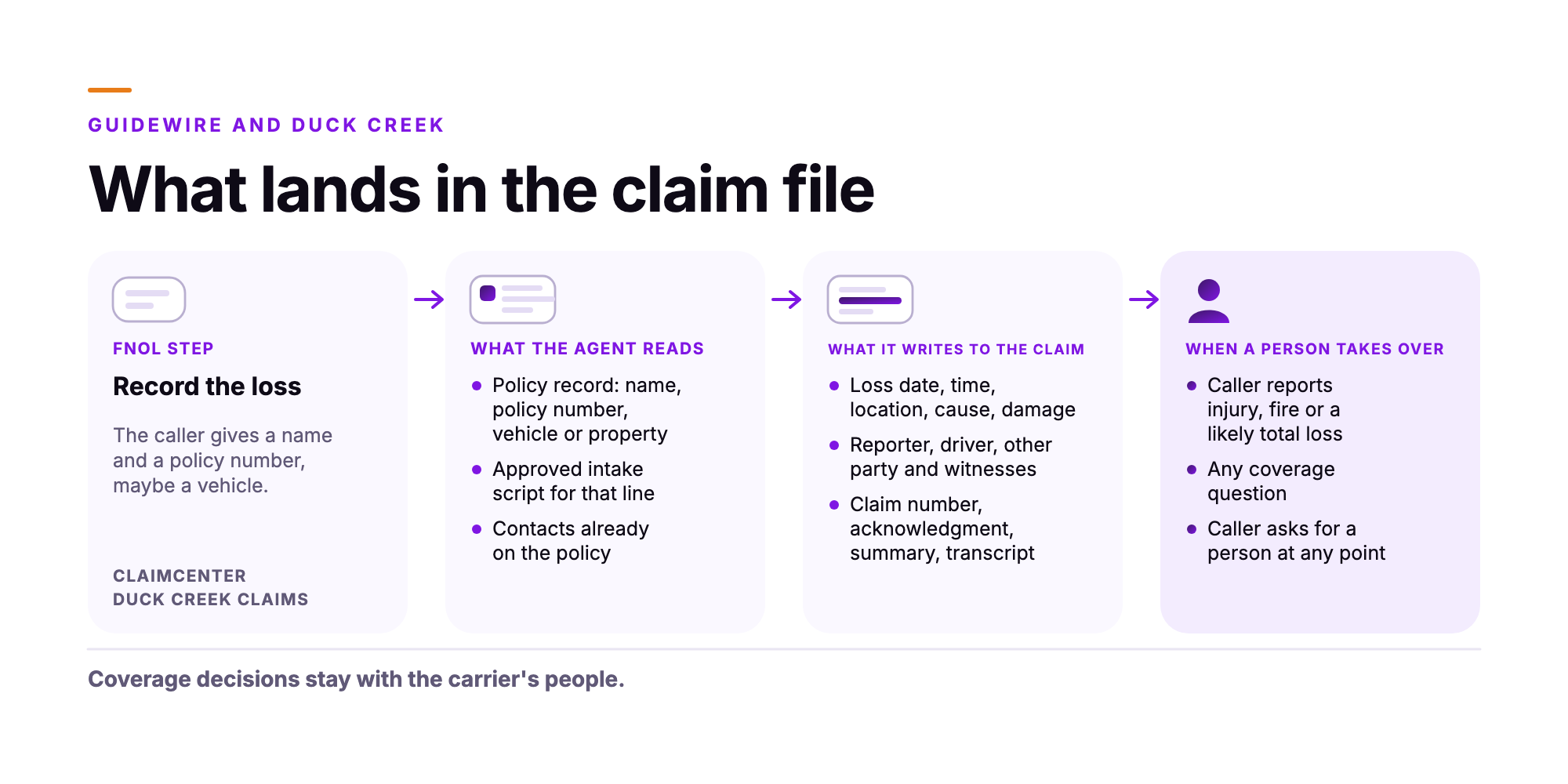
Take a two-car collision on a wet morning. The agent records the loss date, time and location, whether the car is drivable, the damage, who was driving, the other party and any witness. Orvera AI writes those as structured fields to the claim system and attaches the photos the policyholder sends by chat or text. If a person takes the next step, they get the transcript, a summary and the captured fields together.
Assignment then runs on your own rules. In ClaimCenter a draft claim isn't assigned to anyone, and once it opens it goes to an adjuster, with claim setup rules that can segment and assign it. Duck Creek describes rules-based routing by coverage type, expertise and real-time workload. Your routing logic stays where it is, and the agent fills the fields it depends on.
| FNOL step | What the agent reads | What it writes to the claim | When a person takes over |
|---|---|---|---|
| Confirm the caller | Policy record: name, policy number, vehicle or property | The policy match | Policy can't be matched and your rule says route it |
| Record the loss | Approved intake script for that line | Loss date, time, location, cause, damage, drivable or habitable status | Caller reports injury, fire or a likely total loss |
| Add the people | Contacts already on the policy | Reporter, driver, other party and witnesses | A fraud indicator, if the carrier sets one |
| Describe what was damaged | Line of business and incident types the carrier uses | Vehicle or property damage, with details and photos | Commercial or fleet loss, if the carrier sets it |
| Questions about coverage | The policy record | The caller's question, in the transcript | Any coverage question |
| Close the call | Carrier's acknowledgment wording | Claim number, acknowledgment, summary, transcript | Caller asks for a person at any point |
Sources: Guidewire, "The FNOL process in ClaimCenter", https://docs.guidewire.com/cloud/is/202603/cloudapibf/cloudAPI/ClaimCenter/fnol/executing-fnol/c_the-FNOL-process-in-ClaimCenter.html (read November 6, 2026). Guidewire, "Creating claims with unverified policies", https://docs.guidewire.com/cloud/is/202603/cloudapibf/cloudAPI/ClaimCenter/fnol/executing-fnol/c_creating-claims-with-unverified-policies.html (read November 6, 2026). Guidewire, "Overview of incidents in ClaimCenter", https://docs.guidewire.com/cloud/is/202603/cloudapibf/cloudAPI/ClaimCenter/fnol/incidents/c_overview-of-incidents-in-ClaimCenter.html (read November 6, 2026). Duck Creek, "Duck Creek Claims", https://www.duckcreek.com/products/duck-creek-claims/ (read November 6, 2026). Guidewire, "The FNOL process in Cloud API", https://docs.guidewire.com/cloud/is/202603/cloudapibf/cloudAPI/ClaimCenter/fnol/executing-fnol/c_the-FNOL-process-in-Cloud-API.html (read November 6, 2026). Guidewire, "ClaimContacts", https://docs.guidewire.com/cloud/is/202603/cloudapibf/cloudAPI/ClaimCenter/fnol/claimcontacts.html (read November 6, 2026). Guidewire, "Creating exposures", https://docs.guidewire.com/cloud/is/202603/cloudapibf/cloudAPI/ClaimCenter/fnol/exposures/c_creating-exposures.html (read November 6, 2026).
Which losses go straight to a person?
The carrier sets this list, and it should be written before the first live call. Orvera AI's insurance page (opens in a new tab) names the usual starting point: injuries, fires and total losses go to a person. Our auto guide adds fraud indicators, coverage questions and commercial or fleet losses. The moment a caller mentions bodily harm, the agent transfers the call.
Watch the handoff closely. A transfer that carries only a callback number makes the adjuster start over. Ask for a warm transfer with the loss already written, so the adjuster greets the caller by name and starts at the injury. Orvera AI's voice agents can be set to warm or blind transfer, agent by agent.
Can the same agent cover nights, weekends and a storm surge?
On a Saturday in September, a hail line crosses three counties at 4 p.m., and by 6 p.m. the claims line is ringing with hail damage reports.
The agent follows the same intake steps in a storm as on a quiet weekday morning. It captures the loss, writes the claim, issues the claim number and acknowledgment, and escalates the serious losses to the people on shift. Escalation paths, adjuster handoff rules and acknowledgment timing are set during the build, before the storm, as our catastrophe surge guide (opens in a new tab) lays out. The reps working escalations get Agent Assist, which surfaces approved knowledge and next-best actions during the call and writes the summary afterward. On Monday, adjusters open structured files.
Should voice and digital intake run on one agent?
Yes, when the vendor can show that a call and the text that follows it land on the same claim. Policyholders split their reports. Someone calls from the shoulder of the highway, then sends photos from the tow yard an hour later. Orvera AI takes loss reports by phone, chat, text and email in more than 80 languages, and digital FNOL can run as a conversation inside the carrier's own app with guided photo capture.
Ask any vendor one question. When a text arrives after a call, does it land on the same claim in ClaimCenter or Duck Creek Claims, or does someone have to merge two records by hand?
What should a real FNOL test call prove?
Bring your own calls, including these:
- A caller who reads the policy number with one digit wrong.
- A rear-end collision where the caller mentions neck pain halfway through.
- A Spanish-speaking caller reporting a burst pipe in a kitchen.
- A caller who texts photos, then calls back to ask what happens next.
Then open the claim in your test environment. Check the parties, the incident type, the loss fields, the photos, and the handoff on the call that should have gone to a person. Score it the way your QA team scores a new rep.
Ask for outcome figures with their source. Orvera AI publishes first-contact resolution of about 80% and average handle time down 8 to 15% in the first 90 days, averages across Orvera AI customer engagements. One live carrier deployment handled "68% of auto loss notices end to end," per the Orvera AI release of September 17, 2026. That figure is one deployment's result, for auto.
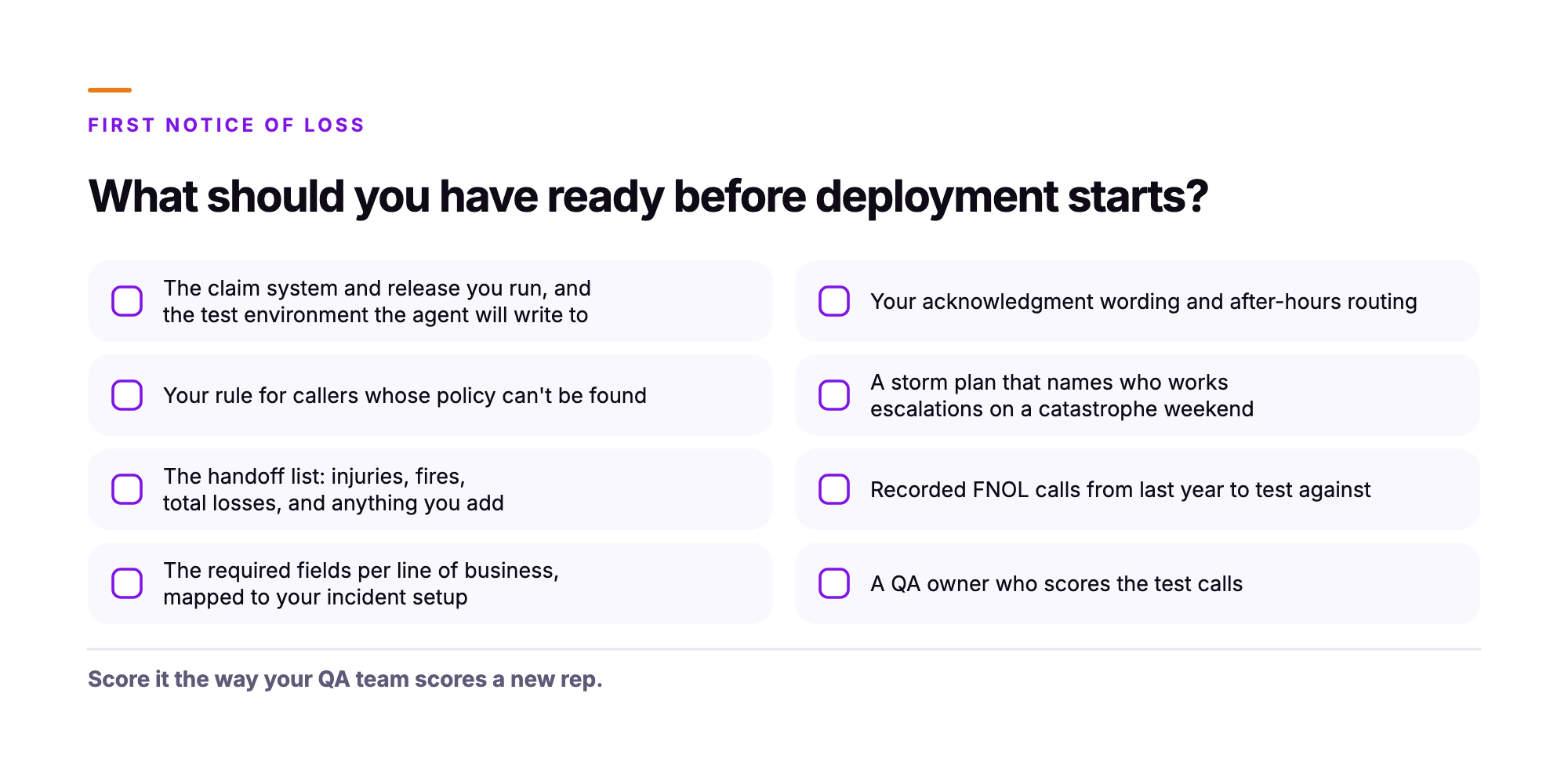
What should you have ready before deployment starts?
Orvera AI builds the workflows from your claim manual, coverage rules, scripts and past calls, and tests them across real scenarios before any live call. Across Orvera AI customer engagements, deployment takes 3 to 6 weeks on average. Bring these:
- The claim system and release you run, and the test environment the agent will write to.
- Your rule for callers whose policy can't be found.
- The handoff list: injuries, fires, total losses, and anything you add.
- The required fields per line of business, mapped to your incident setup.
- Your acknowledgment wording and after-hours routing.
- A storm plan that names who works escalations on a catastrophe weekend.
- Twenty recorded FNOL calls from last year to test against.
- One QA owner who scores the test calls.
Frequently asked questions
Yes. Guidewire and Duck Creek Technologies are both in Orvera AI's integration directory, alongside insurance systems such as Majesco, Socotra, Insurity and FINEOS. For a listed system, turning it on is a configuration step inside the deployment, which takes 3 to 6 weeks on average across Orvera AI customer engagements.
Coverage decisions stay with the carrier's people. The agent verifies the caller against the policy, records the loss, and passes coverage questions to a person.
The agent transfers the call to a person as soon as bodily harm comes up. A warm transfer carries the transcript, a summary and the fields already captured.
Yes. The same agent that takes weekday auto claims answers the storm calls, captures each loss, issues the claim number and escalates serious losses under rules the carrier sets before the season starts.
Deployment takes 3 to 6 weeks on average across Orvera AI customer engagements. Orvera AI takes loss reports in more than 80 languages across phone, chat, text and email.

Written by
Anindita Majumder
Anindita Majumder is a communications professional with nearly four years of experience in public relations, corporate communications, and journalism. She creates content that helps brands communicate their vision, products, and expertise through press releases, thought leadership, and editorial pieces. Outside of work, she is a vocalist, which keeps her creativity flowing.