Vapi AI Review 2026: Features, Pros & Cons
Vapi AI has emerged as a favorite for developers who want to build advanced voice agents. This review covers its features, pricing, pros and cons to help teams judge whether it fits their needs.


Key highlights
Key takeaways
- Vapi AI gives developer teams full control, letting them build highly customizable voice agents with flexible APIs, workflows, and integrations.
- Orvera, in contrast, offers a ready-to-use solution with rapid deployment, no-code workflow building, and governed automation for fast results.
- However, Vapi AI’s flexibility brings complexity. Setup can take time, costs change with usage, and teams must have strong technical expertise to maintain reliable performance.
- Orvera addresses these challenges by providing built-in quality assurance, multi-step automation, a commercial model scoped to the deployment, and dedicated support, minimizing operational risks.
- Teams should choose Vapi AI if they need deep technical control and customization, and choose Orvera if they prioritize speed, reliability, and CX operations that scale.
For years, customer service frustrated both callers and agents. Long waits, unresponsive helplines, and overworked staff left everyone stressed and unhappy.
Now, things are changing.
AI voice agents (opens in a new tab) answer and make calls just like real humans, taking over repetitive tasks while keeping conversations natural and engaging. As more businesses adopt this technology, they see faster responses, happier customers, and smoother operations. No wonder the AI voice market is projected to reach $47.5 billion by 2034 (opens in a new tab), with 97% of companies reporting (opens in a new tab) revenue growth after implementation.
Among these AI tools, Vapi AI has emerged as a favorite for developers. It lets technical teams build advanced voice agents from scratch and delivers conversations under 500 milliseconds with natural, human-like sound. Its speed and flexibility make it a go-to choice for businesses that need both reliability and creativity in their customer interactions.
In this Vapi AI review, we’ll walk you through its key features, break down the pricing, and explain why some businesses are choosing to switch from Vapi AI to Orvera.
What Is Vapi AI?
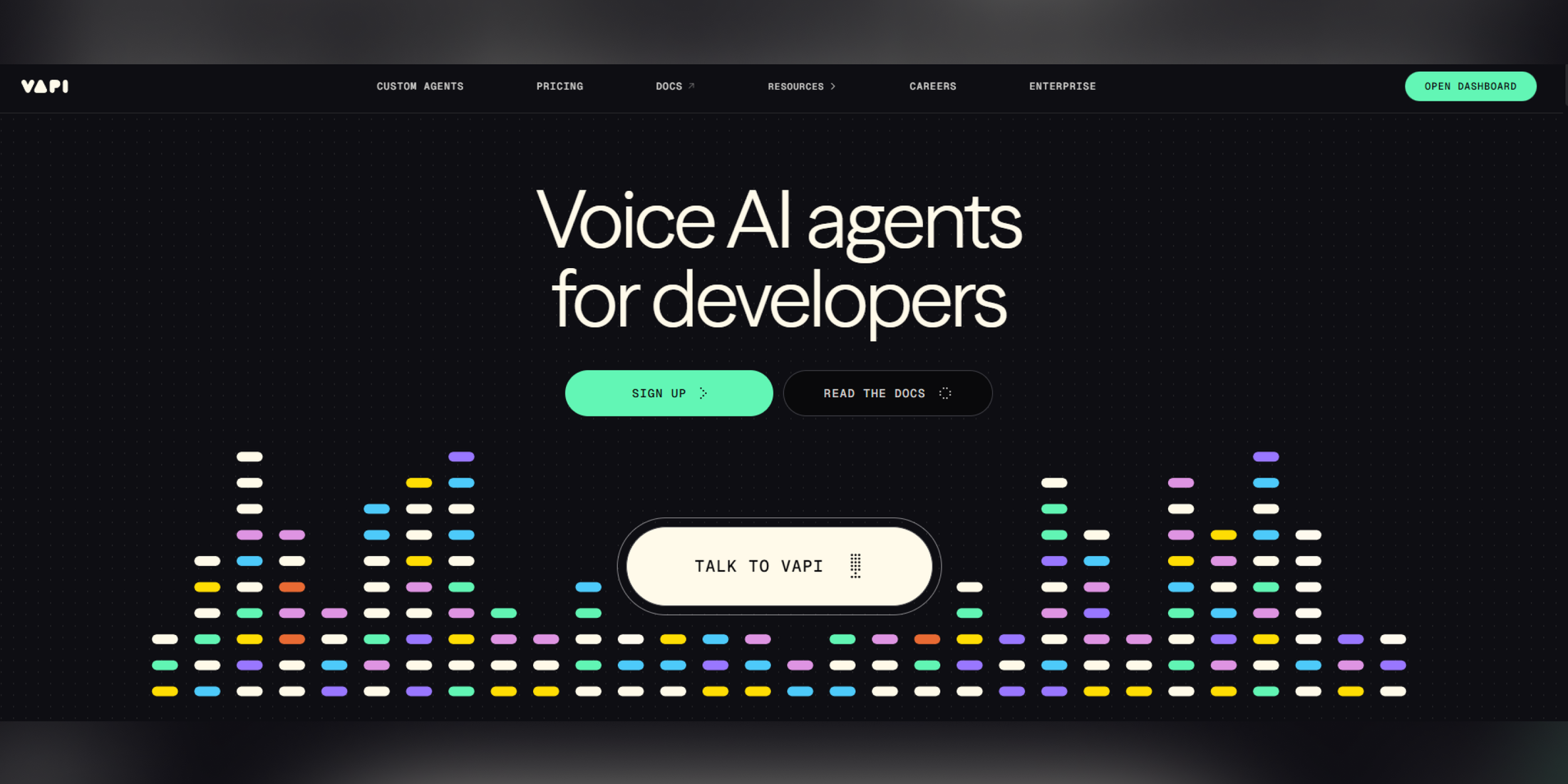
Caption: Deploy Voice AI agents designed specifically for developers
Vapi AI is a platform that lets teams create and deploy AI‑powered voice agents. These agents can handle inbound and outbound calls, carry out scripted and conversational tasks, collect data, and integrate with external systems. While not as widely marketed as some better-known brands, Vapi AI has a strong following among developers building custom voice solutions.
It is built for users who want full programmability of the voice stack. This means you can use your telephony, choose your speech‑to‑text and text‑to‑speech engines, and integrate your own language models. It can serve many business problems:
- Replace manual call handling for FAQs
- Automate appointment reminders and confirmations
- Support outbound dialing campaigns
- Integrate CRM workflows with real conversations
How Does Vapi AI Work?
The way Vapi AI functions gives you both freedom and responsibility. You start with a basic workflow that defines how a conversation should flow. From there, you choose:
- A telephony provider (like Twilio or Vonage)
- A speech‑to‑text engine
- A text‑to‑speech engine
- A language model that processes user input
Developers then orchestrate these building blocks through scripts, configurations, or APIs. For example, if you want to handle call routing based on sentiment or contextual triggers, you might write custom logic using Vapi’s APIs. If you want to connect a customer intent to a CRM update, you would architect that workflow yourself. The platform does not prepackage these features, but it does give you the tools to build them.
That means teams comfortable with development can mold Vapi into something powerful. It also means companies without engineering support might struggle to set up the required infrastructure.
Key Features of Vapi AI
Below are the key areas where Vapi brings value. Each provides flexibility while accounting for the level of technical involvement required.
No-code visual builder
Vapi AI includes a visual flow builder, Flow Studio (part of their "Workflows" feature), that helps users design conversational paths without writing code. Using a drag-and-drop, node-based interface, you can map questions, decisions, and actions directly on a visual canvas.
Here are some of the key features of the Flow Studio:
- Node-Based Logic: Drag and connect nodes such as:
- Say: Agent speaks specific text or prompts
- Gather: Capture user input and intent
- Condition: Add branching logic based on user input, sentiment, or collected data
- API Request: Make live calls to external systems (e.g., checking a CRM)
- Transfer Call: Hand off the conversation to a human or another agent
- Granular Control: Customize voices, models, and languages on a per-node basis
- Global Escape Hatches: Allow “talk to human” or jump to other nodes at any point
- Variable Extraction: Capture and pass user information throughout the workflow
The visual approach speeds up setup for non-technical teams, allowing you to sketch prototypes, adjust branches, and launch workflows directly from the dashboard without backend coding.
Speed-optimized architecture
Vapi AI’s core engine runs real‑time voice orchestration by streaming speech‑to‑text, reasoning with an LLM, and responding with text‑to-speech in one smooth loop. The low‑latency design keeps conversations fluid and natural, typically under 600 milliseconds between a spoken input and an AI reply. Built-in features such as endpointing (detection when a caller finishes speaking) and interruption handling help the system avoid awkward pauses or overlapping speech during live calls.
The platform achieves this performance through a modular architecture that allows “bring your own model” (BYOM) flexibility. High-performance setups using fast STT, LLM, and TTS providers can reach sub-500ms latency. Vapi optimizes potential challenges, particularly in LLM processing, using techniques such as token streaming, prompt optimization, and caching.
WebRTC and automatic edge routing further reduce network delays, while optimized Voice Activity Detection ensures smooth turn-taking during conversations. It allows teams to tune speed and responsiveness without sacrificing the natural flow of live calls, making Vapi AI suitable for both developers and non-technical users alike.
Integrations
Vapi AI connects with many external tools and systems so your voice agents can access real business data and trigger actions. It supports standard APIs and webhooks to integrate with CRMs, databases, calendars, and ticketing tools.
Beyond these core capabilities, Vapi AI integrates directly with platforms such as GoHighLevel, Make.com, Bubble.io, and Langfuse to automate complex phone workflows, including booking, data entry, and CRM management. Voice agents can trigger actions across 40+ apps, using custom system prompts, webhook connections, and CLI-based deployment for smooth integration.
White-labeling
Businesses can brand Vapi AI‑powered voice agents as their own through white‑label solutions. Companies can use services like VoiceAIWrapper to put their own name, logos, colors, and domains on the calling platform.
This means clients or end users see a fully branded interface rather than Vapi’s logo, giving agencies or internal teams a more professional client experience. You can also control which features your customers can access while keeping the powerful Vapi infrastructure behind the scenes.
Vapi AI Pricing
One of the most complex parts of using Vapi is understanding Vapi AI pricing (opens in a new tab). Vapi’s model is usage‑centric, which means your bill is based on multiple components rather than a single flat fee.
Plan structure
VAPI does not offer simple bundled plans. Instead, you pay for the features you use and the amount of activity you generate. The table below, based on Vapi's pricing page as of October 8, 2026, shows how costs break down by usage and optional add-ons, and it highlights where additional fees may apply.
| Pricing Component | Cost | Notes |
|---|---|---|
| Call Minutes | $0.05 per minute | Pay-as-you-go pricing. Enterprise contracts are available for high volume. |
| Call Concurrency | 4 lines on pay-as-you-go, then $10 per line per month | Costs rise as you add more concurrent call lines. |
| SMS and Chat | No message rate listed | Vapi's pricing page no longer publishes a per-message rate. |
| Model Provider Costs | At cost | STT, TTS, and LLM usage is billed separately by providers. |
| Data Retention | 14 to 30 days | Enterprise customers can customize retention periods. |
| Security and Compliance | $2,000 per month add-on | Optional HIPAA compliance add-on, with a DPA and BAA. |
| Support | Included/Enterprise upgrade | Community support comes by default. Enterprise users get private support and named contacts. |
Overview of VAPI usage-based pricing
Usage and add-on fees
VAPI charges increase directly with usage. As your call volume, concurrency, and messaging grow, so do your costs. Text-to-speech, speech-to-text, and LLM usage can add significant extra fees depending on the providers you select.
Enterprise contracts can help stabilize pricing and reduce unpredictability. They require custom negotiation and typically target high-volume businesses.
Usability & Performance
Vapi AI offers reliable features, but real-world experience depends on setup and call execution.
Interface & setup experience
Vapi’s dashboard combines flow editors, logs, and configuration tools. Developers typically appreciate the granular controls, while new users find the learning curve steep. Because Vapi expects you to build much of the behavior, setup can take days or weeks, depending on complexity.
Once you are familiar with it, the interface becomes powerful. But teams without technical resources may find it overwhelming compared to products that offer turnkey use cases.
Call quality & reliability
Vapi AI attracts users by serving as a flexible middleware layer that enables developers to bring their own technology stack. This flexibility creates challenges. When Vapi AI connects to a wide array of external API providers, any latency in those infrastructure layers directly slows the AI voice agent's performance.
Users report a seven-second latency (opens in a new tab) that can ruin call quality and harm the customer experience. Vapi AI achieves end-to-end latency below 500 milliseconds in optimal configurations, but developers must perform extensive optimization to achieve this level of performance. The choice of model strongly affects both latency and cost, so developers need to monitor performance closely and apply timely optimizations.
Security & Customer Support
Security and support form the backbone of any AI voice platform, and Vapi gives you control while requiring careful management.
Security & compliance
Vapi prioritizes data security while keeping voice assistants fully functional. Organizations that handle payments must follow PCI DSS rules to securely collect, transmit, and store credit card data with strong access controls and monitoring.
By default, the platform records, logs, and transcribes calls to improve service quality. When handling payment data, you can configure your assistant to:
- Store recordings in PCI-compliant cloud storage (AWS S3, Azure Blob, Google Cloud Storage, or Cloudflare R2)
- Send transcripts securely through webhooks
- Permanently delete recordings and transcripts if storage or webhooks are not set
You can enable PCI compliance in your assistant’s settings. This allows recordings and transcripts to go to PCI-compliant cloud storage or secure webhooks. If storage or webhooks are not configured, Vapi deletes sensitive data automatically.
Vapi also supports selective recording with squads. Teams can disable recording during payment collection while capturing other parts of calls for quality assurance. This setup keeps calls secure, compliant, and fully functional.
Customer support & documentation
Support comes through community channels, forums, and documentation. The depth of help varies. Some users report relying heavily on developer forums and online resources.
Support is adequate for solving routine questions, but rapid assistance generally requires custom engagement or higher support tiers.
Pros and Cons of Vapi AI
Here’s a concise, experience-driven look at where Vapi AI performs well and where it struggles in real-world usage.
Pros
- Vapi AI stands out for its ease of onboarding and straightforward integration (opens in a new tab).
- Users can get started quickly without struggling with a complicated setup, making the initial experience feel smooth and accessible.
- It also lets developers choose STT, LLM, TTS, and telephony providers to match performance, cost, and compliance needs, supporting BYOM (bring your own model) workflows.
- Vapi AI’s voice agents can deliver sub-600 ms response times and smooth turn-taking, resulting in interactions that feel more human than many alternatives.
Cons
- Despite the easy setup, users must navigate a large number of options related to models, voice modes, tools, and browser configurations, which makes the interface difficult to understand without a developer background.
- Some users report calls disconnecting unexpectedly (opens in a new tab), accompanied by errors such as “meeting room was deleted” or “no meeting room,” which directly impacts call quality and customer experience.
- In another instance, users report that function calls fail roughly half the time (opens in a new tab), even when the trigger conditions are correct. When calls do execute, the agent sometimes generates invalid syntax that gets spoken aloud, breaking immersion and professionalism.
- The system also struggles to interleave asynchronous function calls naturally within responses, often limiting execution to the beginning or end of an output.
Vapi AI vs Orvera
Both Vapi AI and Orvera power AI voice agents, but they take very different approaches to automation, deployment, and operational ownership. Vapi AI prioritizes developer flexibility and customization, while Orvera focuses on production readiness, speed, and reliability.
The right choice depends on how much control your team wants versus how quickly and safely you need to scale.
Feature comparison
In practice, Vapi AI offers maximum flexibility at the cost of higher complexity, while Orvera delivers structured, intelligent automation that works reliably out of the box.
Vapi AI
Vapi AI follows an API-first, developer-centric approach to voice automation. Teams design conversation logic programmatically, enabling deep control over multi-step workflows, branching, loops, and error handling.
This flexibility makes Vapi suitable for complex, custom implementations, especially for organizations with strong engineering resources. However, achieving reliable performance often requires manual tuning, ongoing optimization, and careful configuration of models and tools.
For voice quality and response accuracy, Vapi AI relies heavily on configuration. Teams must carefully tune models, prompts, and TTS providers to achieve natural conversations.
Orvera
Orvera takes a different route by combining visual, no-code workflow building with a governed orchestration layer. Teams design complex call flows using branching logic, retries, exception handling, and multi-turn conversations without writing code.
Built-in capabilities such as sentiment analysis, real-time scoring, and knowledge-base access allow agents to adapt dynamically during live calls. Developers can still extend workflows as needed, but the platform handles most complexity by default, reducing operational overhead and dependence on engineering resources.
Orvera delivers a consistent, human-like voice quality out of the box, with contextualization models trained on de-identified data on top of third-party models in a governed layer, and it maintains context across long, multi-step calls. This difference is especially evident in complex scenarios such as insurance verification or patient eligibility checks, where Orvera maintains conversational flow without repeated questions or manual updates.
Pricing & scalability
Vapi AI and Orvera differ in how pricing is structured and how concurrency scales as call volume increases.
The table below, based on Vapi's pricing page as of October 8, 2026, summarizes the main pricing options, usage limits, concurrency, voice capabilities, and key features across Vapi AI and Orvera. It provides a quick comparison to help teams identify which platform best aligns with their workflow complexity, call volume, and scalability needs.
| Feature/ Plan | VAPI Pay-As-You-Go | VAPI Enterprise | Orvera |
|---|---|---|---|
| Price | $0.05/min + add-ons | Custom negotiated | Shared on a scoped call |
| Daily Call Cap | None (usage-based) | Negotiable | Customizable |
| Hourly Call Cap | None (usage-based) | Negotiable | Customizable |
| Concurrency | 4 lines, then $10/line/month | Scales with contract | High, sized to the workflow |
| Voice Clones/ TTS | At the cost per provider | At cost | Customizable |
| Warm Transfer Billing | Optional, setup required | Included | Warm transfer to a human agent on every channel |
| SMS / Chat Billing | No message rate listed | At cost | SMS and chat run as channels inside the platform |
| Automation Depth | Custom workflows, manual setup | Custom | High, multi-step |
| Deployment Time | Depends on setup | Custom | 3 to 6 weeks |
| Analytics & QA | Limited, add-ons required | Enterprise-grade | Advanced |
| Support | Community or paid upgrade | Named engineer/account manager | White-glove implementation and ongoing support run by Orvera's team |
| Ideal For | Developers and small teams managing usage-based costs | High-volume teams seeking flexibility | Customer experience teams |
Side-by-side comparison of VAPI and Orvera plans
Deployment & support
For teams prioritizing speed, reliability, and operational simplicity, Orvera offers a more turnkey experience. Vapi AI remains better suited for organizations that prefer full control and are prepared to manage complexity internally.
Let’s see how.
Vapi AI
Deployment speed depends heavily on implementation complexity and developer availability. Teams often rely on documentation, community forums, and self-service resources for troubleshooting.
While this approach works for technically mature teams, it can extend time-to-value and increase operational effort, especially for production-grade deployments.
Orvera
Orvera emphasizes rapid deployment and hands-on support. AI voice agents typically go live in 3 to 6 weeks through white-glove onboarding led by solution architects.
Every deployment includes quality assurance checks for call accuracy, fallback behavior, and SLA compliance. Dedicated support teams provide real-time assistance, proactive monitoring, and ongoing optimization.
Also read: Top 10 Vapi Alternatives in 2026 for Production-Ready Voice AI
How Orvera Improves Voice AI for Customer Service
Compared to developer-centric alternatives that require deep technical setup and ongoing optimization, Orvera focuses on reliability, simplicity, and quality scored on every conversation.
This makes it an appealing choice for contact centers, BPOs, and high-volume customer service teams.
Faster deployment & simple setup
Orvera emphasizes rapid deployment and hands-on support to help teams go live quickly and minimize time-to-value. Here’s how it works:
- 3-to-6-week deployment: AI voice agents can be fully operational within 3 to 6 weeks, compared to the longer, engineering-heavy setup required on more developer-centric platforms.
- White-glove onboarding: Solution architects guide teams through implementation, workflow design, and quality assurance processes to ensure a smooth launch.
- No-code workflow builder: Non-technical users can create and adjust complex call flows visually, without touching code, while integrations with telephony, CRMs, helpdesks, and analytics are set up during onboarding.
- Dedicated support: Real-time troubleshooting, proactive monitoring, and ongoing optimization help maintain performance and prevent downtime.
- Built-in quality assurance: Every AI agent is tested for call accuracy, fallback handling, and SLA compliance before going live, ensuring reliability from day one.
This structured approach saves significant time and reduces risk. Teams avoid lengthy debugging, delayed responses, or costly engineering bottlenecks. AI voice agents become operational and optimized almost immediately, allowing businesses to focus on delivering excellent customer experiences.
Advanced voice automation
Orvera handles complex customer interactions more effectively than many other platforms. Here’s how:
- Multi-step workflows: Supports sequential, conditional, and nested call flows without requiring developers to write custom code.
- Context-aware conversations: AI agents remember conversation history across multiple turns, maintaining natural flow even during long or complicated calls.
- Sentiment analysis & real-time scoring: Detects caller mood, adjusts responses, and escalates issues proactively to improve resolution rates.
- Built-in knowledge access: Integrates with CRMs, FAQs, and internal knowledge bases to provide accurate answers instantly.
- Reliable function calling: Executes triggers like API requests, booking appointments, or updating databases without failing mid-call.
This ensures human-like, high-quality interactions that minimize misunderstandings, reduce call duration, and increase customer satisfaction.
Predictable pricing & support
Orvera scopes its commercial model to the deployment and runs support with a dedicated team, which removes operational uncertainty. Here's how:
- Commercial model scoped to the deployment: shared on a scoped call, so budgeting starts from the workflows and the volume they carry.
- Complete platform: AI agents, workflow automation, call analytics and integrations run on one platform Orvera builds, deploys and runs.
- 24/7 support: Offers dedicated solution architects and white-glove assistance to troubleshoot issues and optimize workflows in real time.
- Service-level agreements: Provide consistent uptime, quality assurance, and compliance for large-scale operations.
- Quick ROI: Teams can scale voice operations efficiently while maintaining budget control, even during periods of high call volume.
By combining a commercial model scoped to the deployment, hands-on support, and advanced automation, Orvera equips organizations to deploy, scale, and manage AI voice agents with minimal technical overhead.
Choosing the Right Voice AI Platform
When selecting a voice AI platform, teams must weigh flexibility, deployment speed, automation capabilities, cost predictability, and support.
Why Vapi AI stands out
- Designed for developer-led teams who need full API access
- Supports highly customizable, multi-step workflows with modular architecture.
- Uses a pay-as-you-go pricing model
- Offers deep technical flexibility
- Requires careful management of costs, concurrency, and third-party services
Why Orvera stands out
- Provides rapid deployment, with AI voice agents ready in 3 to 6 weeks.
- Features a no-code workflow builder for creating complex, multi-step automations
- Includes advanced automation logic, multi-turn conversation handling, and built-in fallback/error management
- Scopes the commercial model to the deployment on a scoped call
- Comes with built-in analytics, QA tools, and reporting dashboards
- Provides dedicated support to reduce operational risk
For teams seeking developer-level control and experimental flexibility, Vapi AI delivers a powerful foundation. For organizations prioritizing reliability, speed, and cost predictability at scale, Orvera offers a simplified platform that goes live in 3 to 6 weeks. The right platform depends on your team’s technical capacity, workflow complexity, and customer service goals.
Frequently asked questions
Vapi AI helps developers build and deploy AI-powered voice agents for inbound and outbound calls. It supports multi-step workflows, integrations with CRMs and APIs, and customizable conversational logic for tasks like booking, support, and data collection.
As of October 8, 2026, Vapi's pricing page lists a $0.05 per minute hosting fee, plus third-party costs for telephony, speech-to-text, TTS, and LLM usage. Enterprise plans are negotiable, with pay-as-you-go flexibility depending on call volume, concurrency, and added features.
Vapi AI supports standard security protocols, configurable data retention, and encryption for call content. However, because teams manage telephony and model configurations, compliance and full security responsibility largely remain with the implementing organization.
Vapi AI can automate repetitive, structured call tasks, such as booking or retrieving information. It enhances efficiency but is best used alongside human agents for nuanced conversations, escalations, or complex decision-making that require empathy and judgment.
Vapi AI offers developer-level control, flexible APIs, and modular workflows, but it requires technical expertise and monitoring of usage. Orvera delivers production-ready, no-code automation, faster deployment and built-in analytics, making it ideal for scaling teams.
Written by
Anindita Majumder
Anindita Majumder is a communications professional with nearly four years of experience in public relations, corporate communications, and journalism. She creates content that helps brands communicate their vision, products, and expertise through press releases, thought leadership, and editorial pieces. Outside of work, she is a vocalist, which keeps her creativity flowing.