How an AI Platform Reports the Aid Cycle as a Pipeline for Financial Aid Offices
The backlog appears late in the cycle because most aid reporting counts how many files are complete and leaves out how long each incomplete file has been waiting. A director may see a high completion percentage in a report but remain unaware of untouched verification selections from the cycle's...

Key highlights
- The backlog appears late in the cycle because most aid reporting counts how many files are complete and leaves out how long each incomplete file has been waiting.
- An aid-cycle operational dashboard reports the aid cycle as a pipeline, showing every file by the stage it sits in and how long it has been there.
- The platform organizes open verification selections into age bands, starting with the oldest, drawing on the institution's records and the document questions students raise.
- One week shows files entering the pipeline, aging inside it, and leaving it, with each movement traced to either a conversation or an institutional record.
- The aid office runs the cycle and owns its decisions, and the platform reports the state of the pipeline those decisions produce.
- The platform is delivered as a managed service so the aid office keeps its staff on files during peak cycle and has the dashboard in place before the cycle needs it.
- Four counts tell a director whether the pipeline is moving, and the director reads all four in one view each morning.
- The director takes four statements that hold up without the dashboard in the room.
Why does the financial aid office see a verification backlog so late in the cycle?
The backlog appears late in the cycle because most aid reporting counts how many files are complete and leaves out how long each incomplete file has been waiting. A director may see a high completion percentage in a report but remain unaware of untouched verification selections from the cycle's start. Completion counts move slowly and hide age entirely.
Another issue is the scattered location of evidence. Financial aid documents arrive by email attachment, get mentioned on a phone call, land in a portal upload queue, or show up as a note in the institution's own records. A tax transcript can be in the office and still be invisible to the person running the report. The evidence that dates the backlog sits in several places, and no one owns the calculation.
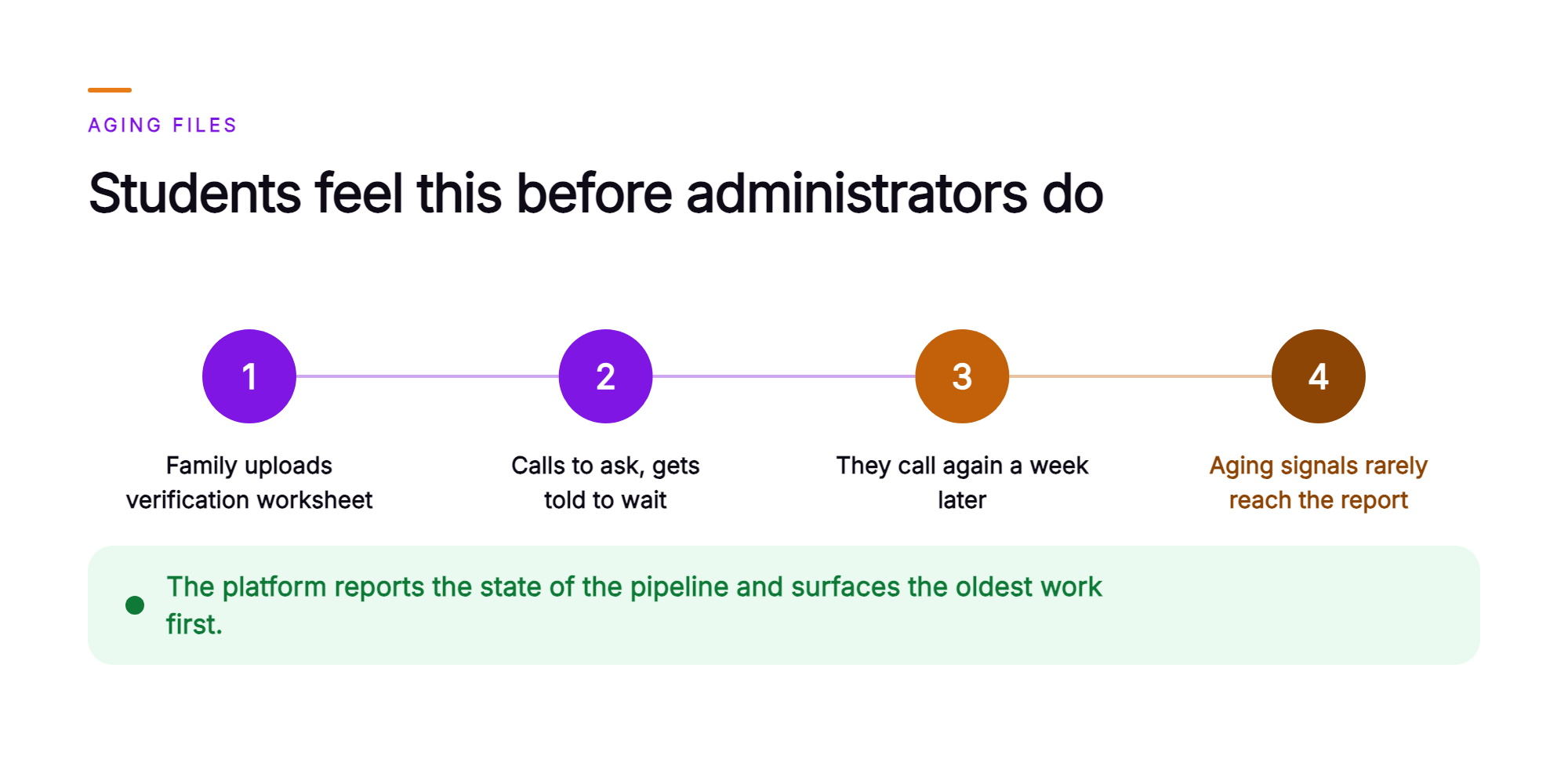
Students feel this before administrators do. A family uploads a verification worksheet, hears nothing, calls to ask whether it arrived, and gets told to wait. They call again a week later. Each unanswered status question is a signal that a file is aging, and those signals rarely reach the report the director reads.
What is an aid-cycle operational dashboard?
An aid-cycle operational dashboard reports the aid cycle as a pipeline, showing every file by the stage it sits in and how long it has been there. It replaces a static completion count with a moving picture of work in progress.
The pipeline has three stages. First, verification selections outstanding, grouped by age. Second, documents received and awaiting review. Third, files complete. A financial aid operations dashboard built this way answers the question that matters mid-cycle: what has been waiting longest, and where it stopped moving.
Orvera AI, an agentic AI platform for enterprise customer experience, powers the aid-cycle dashboard by reading from two sources: the conversations Orvera runs with students and families across voice, chat, and email, and the records the institution's student and aid systems already hold. The office keeps its existing records and workflows.
How does the platform report verification selections outstanding by age?
The platform organizes open verification selections into age bands, starting with the oldest, drawing on the institution's records and the document questions students raise.
Each figure on the dashboard traces to a named source. Selections and file status come from the institution's own student and aid systems. Student-reported document status and student questions come from the voice, chat, and email conversations Orvera's AI agents handle, served in more than 80 languages. A student reporting a faxed tax transcript creates a recorded event on the dashboard, with the conversation summary attached.
Age bands show how long every open file has been waiting. A selection that has been outstanding for several weeks appears above one opened yesterday, regardless of how many documents either file is missing. Verification outstanding by age is the ordering principle, so the oldest files are the ones staff see first.
The dashboard shows the backlog by age, and aid staff decide every next step on every file.
Every interaction the dashboard counts has a record behind it. That record includes the full report log, conversation summary, and transcript, so a counselor can read exactly what the student said before acting, and an auditor can verify how a number was produced.
What does one week of the aid cycle look like on the dashboard?
One week shows files entering the pipeline, aging inside it, and leaving it, with each movement traced to either a conversation or an institutional record.
Consider a composite case. A continuing student is selected for verification in early March and receives the document request. Two weeks pass. On a Tuesday evening, they call to ask whether their parent tax transcript was received, because the portal still shows an outstanding item. Orvera's AI agent confirms the student's identity, reads the file status from the institution's aid system, confirms what remains outstanding, explains the submission options, and records both the question and the stated document status. The file is now visible on the dashboard as an aging selection with a recent student contact against it.
On Wednesday morning, the counselor reviewing the oldest age band opens the flagged file. The conversation summary and transcript are already attached, so the review starts from a written record of what the student asked and what the agent confirmed. The counselor locates the transcript in the document queue, completes the review, and records receipt in the aid system. The selection moves out of the outstanding band and into files complete.
Which steps does the aid office own, and which does the platform report?
The aid office runs the cycle and owns its decisions, and the platform reports the state of the pipeline those decisions produce.
- The aid office administers verification and requests the documents each selected file needs. The platform reports selections outstanding, grouped by age, oldest first.
- Aid staff review documents and determine whether a submission satisfies the requirement. The platform reports documents received, drawing on both the conversations Orvera runs and the institution's own records.
- The aid office performs packaging and disbursement inside its own aid system. The platform reports files complete exactly as the institution records them.
- Counselors answer policy questions and handle professional judgment cases. The platform records student questions about missing documents and hands policy and judgment conversations to a counselor, with AI Agent Assist surfacing approved knowledge and the next action live.
- AI Quality Management audits every conversation, human-handled and AI-handled, and Voice of Customer turns them into themes leaders can act on. The scorecards and the response to those themes stay with the institution.
Aid staff decide every next step on every file.
Why do private colleges want the platform built and run for them?
The platform is delivered as a managed service so the aid office keeps its staff on files during peak cycle and has the dashboard in place before the cycle needs it.
Orvera handles the build, the deployment, and the integration into the systems the college already runs, with 500+ integrations across CCaaS, CRM, helpdesk, and enterprise systems of record. Orvera's enablement spans onboarding, knowledge-base setup, agent training, and change management.
A full Orvera AI deployment goes live in three to six weeks, on the stack the institution already runs. That timeline matters because the aid cycle keeps moving. An office that starts in summer has age-banded visibility before its next verification wave builds.
The platform is built on 18+ years of contact-center experience, and Orvera runs it as an operation on the institution's behalf. Orvera's AI agents resolve the conversation, AI Agent Assist supports the human rep who takes over, AI Quality Management scores every conversation, and Voice of Customer turns the result into insight. It is one platform, adopted in stages, and it runs SOC 2 Type II certified, HIPAA compliant, and GDPR compliant.
Which numbers tell a financial aid director the dashboard is working?
Four counts tell a director whether the pipeline is moving, and the director reads all four in one view each morning.
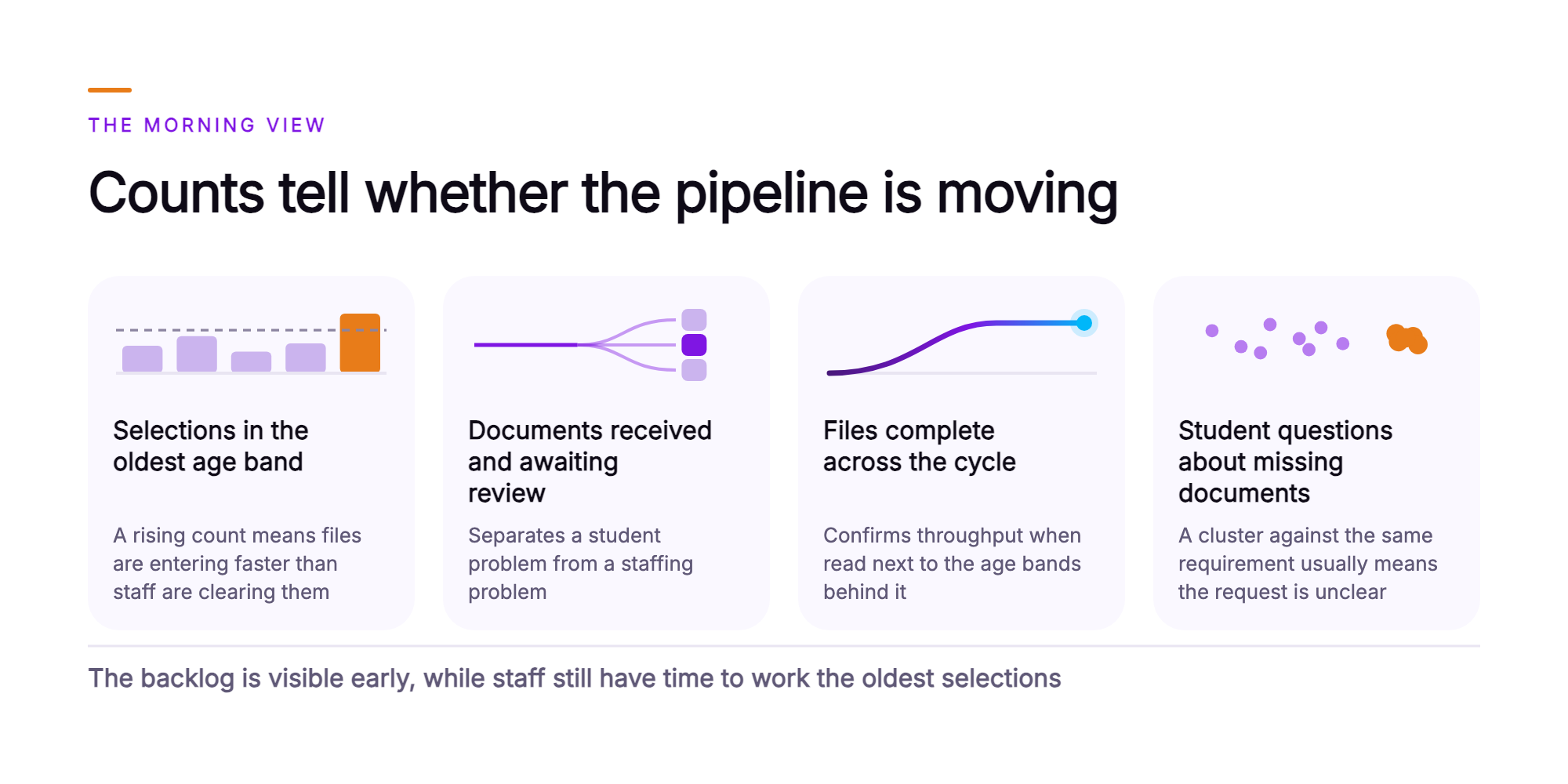
- Selections in the oldest age band. This is the melt risk number. A rising count here means files are entering the cycle faster than staff are clearing them, and it rises weeks before the completion percentage ever reflects it.
- Documents received and awaiting review. This separates a student problem from a staffing problem. A large queue here means families have responded and the constraint has moved from outreach to review capacity.
- Files complete across the cycle. This is the familiar completion count, and it confirms throughput when it is read next to the age bands behind it.
- Student questions about missing documents, recorded in conversations. Every status call is a signal that a family is uncertain. A cluster of these against the same requirement usually means the document request itself is unclear.
Each count is a number the director reads directly on the dashboard, sourced from the institution's records or from a recorded conversation. The outcome the office is measuring is simple: the backlog is visible early, while staff still have time to work the oldest selections.
What does the director take to the enrollment leadership team?
The director takes four statements that hold up without the dashboard in the room.
- The aid cycle is reported as a pipeline. Verification selections outstanding by age, documents received and awaiting review, and files complete sit together in one view.
- Every figure traces to a source. Selections and file status come from the institution's own student and aid systems. Document events and student questions come from recorded conversations, with summaries and transcripts attached.
- Aid staff decide every next step on every file. The platform reports the state of the pipeline and surfaces the oldest work first. Verification requirements, document review, packaging, and disbursement remain with the aid office.
- The platform runs SOC 2 Type II certified, HIPAA compliant, and GDPR compliant, with approved-knowledge grounding and full auditability. Every conversation the dashboard counts can be opened, read, and verified.
For an Associate VP of Enrollment Management, the operational argument is the enrollment argument. A file that ages quietly can become a student who enrolls somewhere else. Age-banded visibility is how the office sees that risk while there is still time to address it.
What does the aid cycle look like once the dashboard runs?
Students and families follow the process they already know, and inside the office the oldest files now come first.
Each morning, the director opens the pipeline view and reads the age bands. Staff are assigned to the oldest selections before anything else, and the documents-awaiting-review queue is sized against available review capacity for the day. Student status calls stop being interruptions and start being data, because each one lands against a file and shows up in the count. By the time the fall census arrives, the office knows which requirements generated the most confusion and can rewrite them before the next cycle.
The scope does not change. The platform reports the pipeline. The financial aid office owns every decision on every file, every verification review, and every dollar packaged.
If your office's backlog becomes visible only when it's too late to address, talk to the team (opens in a new tab) about reporting your aid cycle as a pipeline.
Frequently asked questions
The aid-cycle dashboard shows the state of every file moving through the aid cycle, stage by stage, so the office sees where the pipeline is slowing while there is still time to act. Three pipeline stages carry the view: verification selections outstanding by age, documents received, and files complete. It surfaces the backlog at the start of the cycle, as each file begins to age. In week two of packaging season, a director can see which cohort is stalling and at which stage. That early view is what lets a director manage financial aid operations while the cycle is still moving.
Two sources feed the dashboard: the voice, chat, and email conversations Orvera AI runs with students and families, and the records the institution's own student and aid systems already hold. Every count comes directly from those two inputs. Every figure on the screen traces back to something a reviewer can open: a report log, a conversation summary, a transcript, or an institutional record. A count of outstanding documents can be checked file by file against those records. That traceability lets the office show how every financial aid metric was produced, to an auditor and in a Monday morning staff meeting.
Each open verification selection is grouped into an age band based on how long it has been outstanding, and the oldest band appears first. A selection outstanding for several weeks sits above one opened yesterday. Staff read the oldest band first and plan the day's work from it. That ordering turns a raw queue into a workload view, because the question becomes which families are waiting longest and what each one still owes. Financial aid processing time is then visible file by file, longest wait first.
Aid staff decide. Every next step on every file belongs to a person in the office, including verification outcomes, packaging decisions, and disbursement. The dashboard flags the file and informs the decision. When a file is flagged, the flag carries the conversation summary and the full transcript with it, so the counselor opens the case already knowing what the student asked, what was confirmed, and what document is missing. The counselor spends their time on the judgment call, with the student's history in hand. Procurement should ask every vendor this question, because the answer shows which decisions stay with aid staff and what the platform reports.
Orvera AI is SOC 2 Type II certified, HIPAA compliant, and GDPR compliant. The supporting documentation is available to procurement and security reviewers on request. Its design is governance-first. Orvera's AI agents answer from approved-knowledge grounding, which means responses draw on the institution's own approved aid content. Every interaction is fully auditable, so a compliance officer can reconstruct what was said to a student, when, and on what basis. That audit trail puts every student conversation on the record for a compliance review.
A full enterprise deployment is live in three to six weeks. That window runs from the build through the deployment and integration work to full production. Orvera AI does that work. The platform connects to the student information and aid systems the institution already runs, using 500+ integrations across CRM, helpdesk, and system-of-record platforms, so the office keeps its existing records and workflows. Orvera's enablement spans onboarding, knowledge-base setup, agent training, and change management. It is one platform, adopted in stages.

Written by
Anindita Majumder
Anindita Majumder is a communications professional with nearly four years of experience in public relations, corporate communications, and journalism. She creates content that helps brands communicate their vision, products, and expertise through press releases, thought leadership, and editorial pieces. Outside of work, she is a vocalist, which keeps her creativity flowing.


