How Agent Assist Surfaces Plan-Specific Benefit Answers for Health Plan Member Services
Benefit calls run long because a single member question triggers a chain of mid-call lookups across multiple systems, and each lookup adds hold time the member feels and handle time you measure.

Key highlights
- Benefit calls run long because a single member question triggers a chain of mid-call lookups across multiple systems, and each lookup adds hold time the member feels and handle time you measure.
- When health plan member services AI is active on a call, the representative sees the member's plan-specific benefit answer, its source document, and accumulator progress the moment the member's question is recognized.
- The health plan owns every benefit rule, document, and approved answer.
- A managed delivery model fits payer contact center automation at the level of benefit complexity Medicare Advantage and commercial plans carry, because the work is an operations build that calls for contact center experience from day one.
- A VP of Member Experience can take four operational facts to leadership on governance, audit coverage, measurable results, and the deployment model.
- Once the assist is running, member services operates with the plan's sourced answer on screen for the benefit questions the assist supports, and a complete audit record behind every conversation.
Why do benefit calls take so long to answer in health plan member services?
Benefit calls run long because a single member question triggers a chain of mid-call lookups across multiple systems, and each lookup adds hold time the member feels and handle time you measure.
A health plan running dozens of plan benefit packages carries real complexity into every call. Supplemental benefits such as dental, vision, and hearing differ from one package to the next. A representative answering a benefit question needs the specific benefit design that member is enrolled in.
The lookup chain is the core problem. The rep first confirms which plan benefit package the member is enrolled in. They then locate the matching passage in the Evidence of Coverage or Summary of Benefits. While the member holds, the rep opens a separate system to check deductible and out-of-pocket progress. That is three lookups before an answer leaves the rep's mouth.
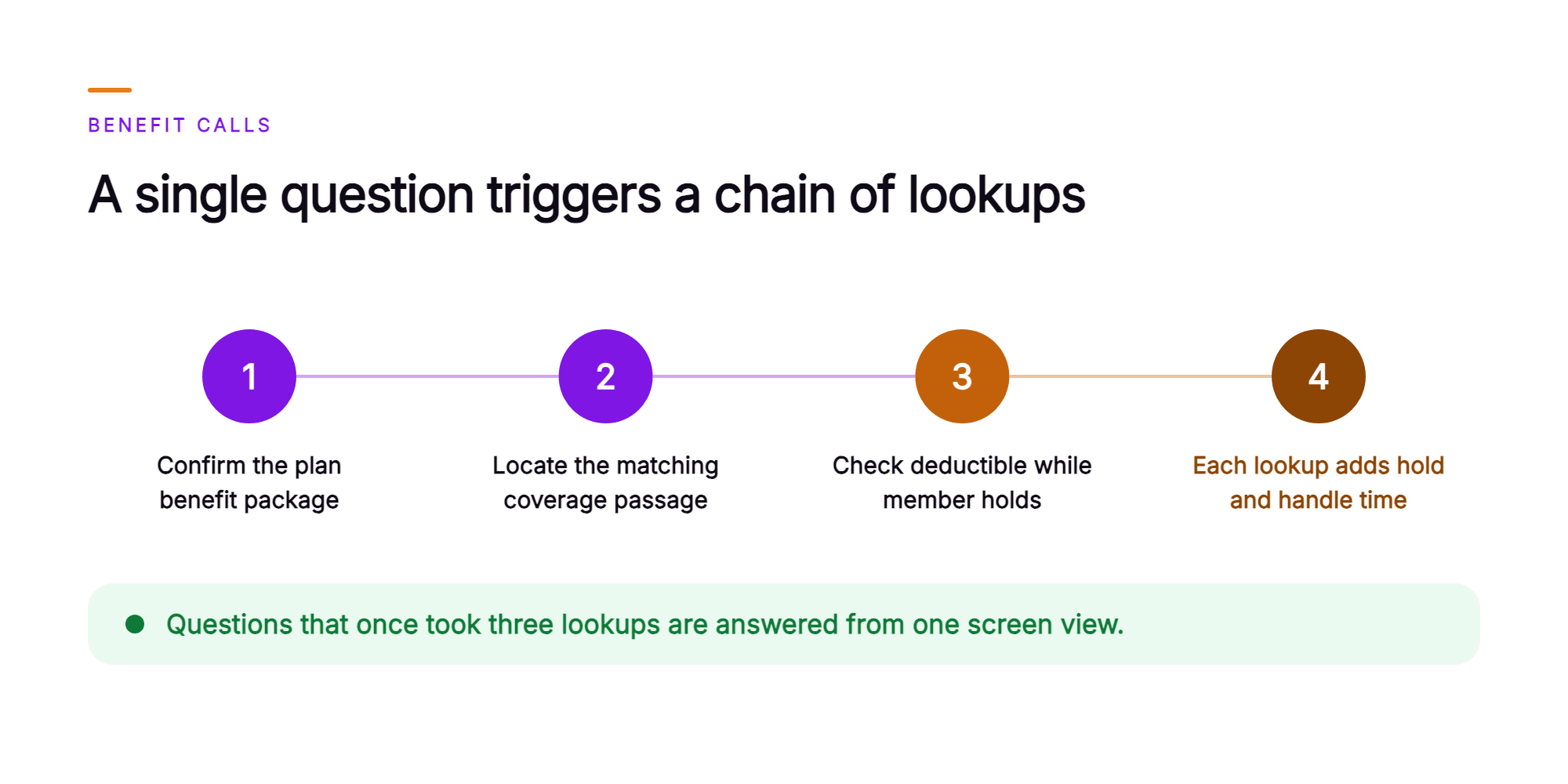
Two things land on your scorecard as a result. Handle time grows with every lookup. And a benefit answer pulled from a neighboring plan benefit package, one that sounds close enough, is wrong for this member and carries real compliance exposure. That is the problem a healthcare payer AI agent assist is built for, surfacing the plan's approved answer for the member's own package before the rep reaches for a workaround.
What is PBP-correct benefit surfacing for Medicare Advantage and commercial plans?
PBP-correct benefit surfacing means the assist reads the member's enrolled plan benefit package from the plan's own systems and shows the plan's approved answer for that package, with its source, beside the member's current deductible and out-of-pocket progress during the call.
A plan benefit package (PBP) is the specific benefit design a member is enrolled in. It sets that member's covered services, cost-sharing structure, and supplemental benefits. Commercial plan readers recognize the same concept: every group or individual product has a distinct benefit design, and the answer that is correct for one design is often wrong for another.
The content behind that answer comes from sources the plan controls. During knowledge-base setup, the plan's Evidence of Coverage, Summary of Benefits, and approved answers are organized by plan benefit package. Real-time agent assist platforms in healthcare that ground their answers in those plan documents give the rep a sourced answer for the member's own plan benefit package.
That sourcing puts the plan document behind each answer in front of the representative before they speak.
What does Agent Assist do during a live benefits call?
During a live benefits call, Orvera AI's Agent Assist reads the member's enrolled plan benefit package from the plan's own systems, matches the member's spoken question to the plan's approved answer for that package, and places that answer with its source beside the representative in real time.
The whole sequence runs while the rep stays on the call with the member. As the member asks about a benefit, the assist reads the plan benefit package identifier from the plan's system of record, retrieves the approved answer grounded in the plan's Evidence of Coverage and Summary of Benefits, and displays it alongside the source document and section. The representative sees that answer, matched to the member's own package, before speaking.
The assist keeps working through the call. Beside the representative, it shows deductible and out-of-pocket accumulator progress pulled directly from the plan's system, recommends next-best actions based on the call context, flags escalation cues when the conversation moves toward a grievance or prior authorization, and drafts the after-call summary when the call closes. For a Medicare Advantage contact center AI deployment, that combination means the representative handles benefit complexity, accumulator questions, and post-call documentation from a single screen.
What does one Medicare Advantage benefits call look like with the assist on screen?
When health plan member services AI is active on a call, the representative sees the member's plan-specific benefit answer, its source document, and accumulator progress the moment the member's question is recognized.
A Medicare Advantage member calls to ask two things: what the plan's dental benefit covers for a routine cleaning, and how close the member is to the out-of-pocket maximum for the year. Before Agent Assist, that call sent the representative into three separate lookups while the member held. With the assist on screen, the sequence runs like this.
The assist surfaces the approved dental answer for the member's enrolled plan benefit package the moment the question is recognized. The panel shows the relevant passage from that plan's Evidence of Coverage, labeled with the source document. Beside it, the member's current out-of-pocket progress reads directly from the plan's benefit system. The representative reviews both, confirms the source citation, and gives the member the plan's own answer, describing accumulator progress in plain language as the plan's system reports it. The whole answer sits on one screen, sourced to the member's own plan.
The call closes with a drafted after-call summary already staged for the representative to review and confirm. The full transcript and a quality report are logged for review by the plan's quality team. That record covers what was said, what the assist surfaced, and what source backed the answer.
Who owns the benefit rules, and what does the assist do with them?
The health plan owns every benefit rule, document, and approved answer. Orvera AI's Agent Assist reads those plan-controlled assets and surfaces the approved answer for the member's own plan benefit package, with the source shown on screen.
That division of ownership is the design. In an Orvera AI Agent Assist deployment on coverage questions, the plan controls what the assist surfaces, and each surfaced answer shows the plan document it came from. The split works as follows:
- Plan documents and approved answers. The Evidence of Coverage, Summary of Benefits, and plan-approved language are organized by plan benefit package. The assist surfaces the approved answer for the member's enrolled package with the source document shown beside it.
- The member's accumulator. The member's deductible progress and out-of-pocket totals live in the plan's benefit system. The assist reads that data in real time and displays it as progress the representative can reference directly.
- The plan's escalation paths. When a question falls outside the plan's approved content, the assist flags the cue so the representative can route the call along the plan's own escalation path.
- The conversation record. The full transcript is generated, a summary is drafted for the representative to confirm, and the interaction is logged and audited.
The representative decides what to say. Every coverage, prior authorization, and claim decision stays with the health plan.
A commercial plan member calls mid-year to ask about a vision benefit. The assist reads the member's enrolled benefit design, matches the question to the plan's approved answer for that design, and places that answer with its source on the representative's screen. The representative works from the passage for the member's own package. The answer on screen carries the plan's own language, sourced and auditable.
That same structure applies whether the question arrives by voice, chat, or any other channel.
Why do health plans want the platform built, deployed, and run for them?
A managed delivery model fits payer contact center automation at the level of benefit complexity Medicare Advantage and commercial plans carry, because the work is an operations build that calls for contact center experience from day one.
Orvera AI builds, deploys, and runs the platform on the systems the plan already operates. Full enterprise deployment lands in three to six weeks. The work spans integration, knowledge-base setup with the plan's approved answers organized by plan benefit package, representative training, and change management. All of it draws on 18+ years of contact center operations experience, the operating heritage behind Orvera AI's managed delivery model.
Governance is a standing concern for any health plan reviewing a real-time agent assist deployment. Orvera AI audits 100% of conversations, human-handled and AI-handled, across every channel. The platform is SOC 2 Type II certified, HIPAA compliant, and GDPR compliant, and it connects across 500+ enterprise system integrations, so the assist reads from the CRM, benefits administration platform, and accumulator systems the plan already runs.
And because every conversation is audited and scored, the plan's quality team has a measurable record of what the assist surfaced and what the representative said. That record is also where a member services leader starts when tracking whether the assist is working.
Which numbers tell a member services leader the assist is working?
Four measures tell a member services leader whether representatives are closing benefit questions faster and more accurately with the assist on screen: AHT on benefit calls, benefit-answer error rate, repeat calls on the same benefit question, and time for a new representative to reach independent performance.
AHT and benefit-answer error rate are read directly from the platform's report logs and AI Quality Management scoring, which run across every conversation, human-handled and AI-handled.
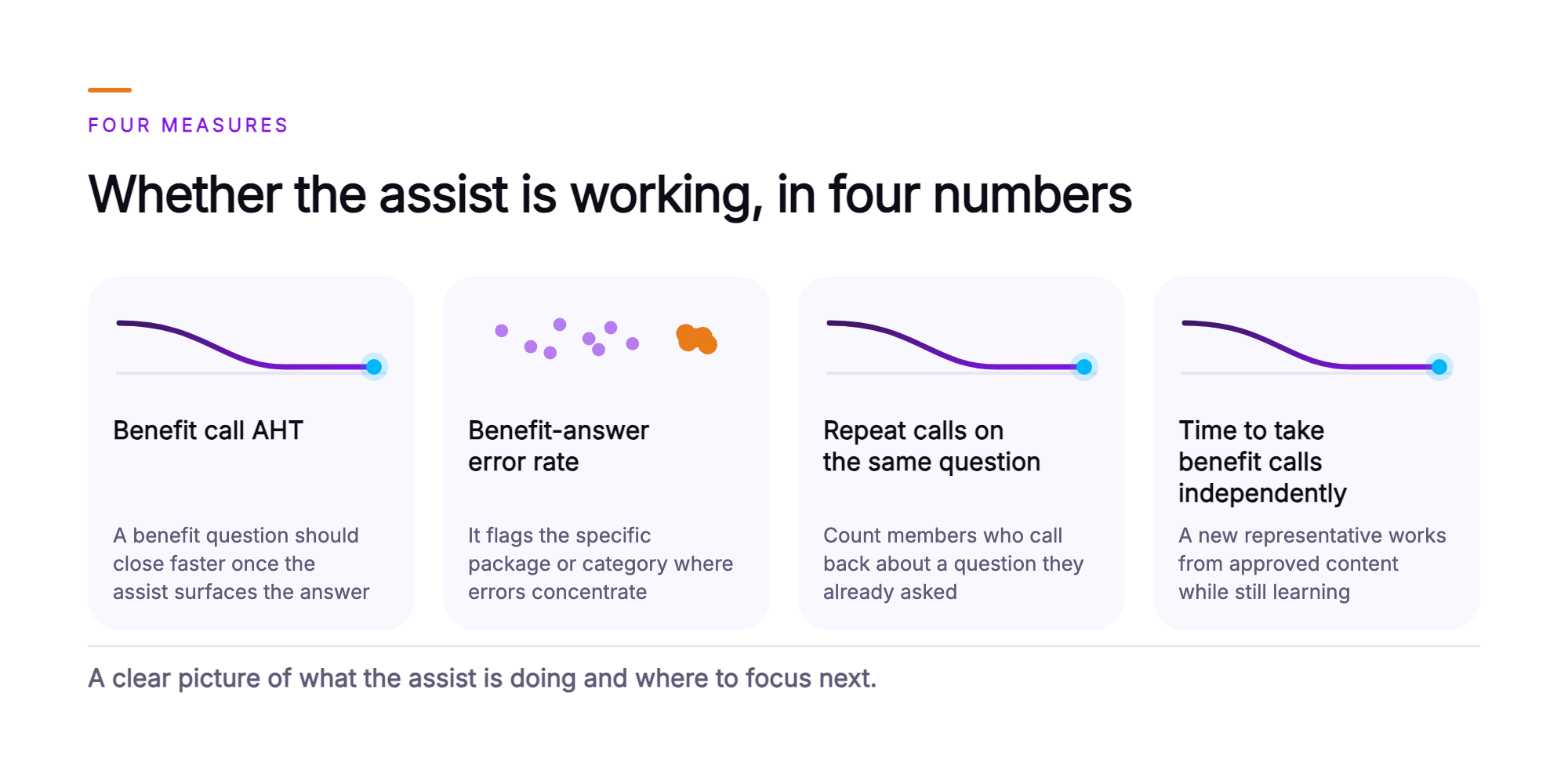
- AHT on benefit calls. Read this figure specifically for the benefit questions the assist supports. A benefit question that previously required mid-call lookups across multiple plan documents should close faster once the assist surfaces the plan's approved answer directly. Track the figure against the plan's own pre-launch baseline for the same benefit questions.
- Benefit-answer error rate. Read from audited calls and trended by plan benefit package and benefit category. This number shows whether the assist is surfacing the plan's approved answer for the member's enrolled package, and it flags the specific package or category where errors concentrate.
- Repeat calls on the same benefit question. Count members who call back about a question they already asked. A rising repeat-call rate signals that first answers are not resolving the member's question, which points to a content gap or a surfacing error worth investigating.
- Time for a new representative to take benefit calls independently. Track from start date. When the assist places the plan's sourced benefit answer on screen, a new representative works from the plan's approved content while still learning the packages.
Reported together, these measures show what the assist is doing and where to focus next.
What should a VP of Member Experience take to the leadership team?
A VP of Member Experience can take four operational facts to leadership on governance, audit coverage, measurable results, and the deployment model.
- Benefit answers come from the plan's own approved content. The assist reads the member's enrolled plan benefit package and places the plan's sourced answer on the representative's screen. The representative reviews that source and decides what to say. The approved answers and the plan documents behind them stay under the plan's control.
- Every benefits call is audited, because the platform audits 100% of conversations, human-handled and AI-handled, across every channel. Benefit-answer accuracy is read across the full call population, which gives leadership the complete picture.
- AHT on benefit calls and benefit-answer error rate lead the operational story. Both are read by plan benefit package and benefit category, so the report shows where performance is strong and where a content gap needs attention.
- Orvera AI builds, deploys, and runs the platform on the plan's existing systems. Full enterprise deployment lands in three to six weeks. The platform is SOC 2 Type II certified, HIPAA compliant, and GDPR compliant.
Those four points cover governance, audit coverage, measurable results, and the deployment model for leadership and compliance reviewers.
What does member services look like once the assist is running?
Once the assist is running, member services operates with the plan's sourced answer on screen for the benefit questions the assist supports, and a complete audit record behind every conversation.
On the floor, representatives answer benefit questions from the member's enrolled plan benefit package. The source document is visible on screen before the representative speaks. Deductible status and out-of-pocket accumulator data sit beside the answer, so the representative reads both while talking with the member. Benefit questions that once took three mid-call lookups are answered from one screen view.
The leader's view is just as clear. Every benefits call is transcribed, summarized, and audited. AHT and benefit-answer error rate are read by plan benefit package and benefit category, so a director can see which packages are performing and which point to a content gap. That report exists because AI Quality Management scores 100% of conversations, human-handled and AI-handled, across every channel.
The floor and the leadership report run on the same platform, in the same audit chain, on the plan's existing systems. If you want to see what that looks like for your member services operation, talk to the team at Orvera AI (opens in a new tab).
Frequently asked questions
The representative sees the member's plan benefit package, the plan's approved answer to the question being asked, the source that answer came from, and the member's deductible and out-of-pocket progress. That view sits in a panel beside the desktop the representative already uses, delivered as a browser extension or webhook, so it layers onto what the floor runs today. Approved answers for supplemental benefits such as dental, vision, and hearing are already matched to the member's plan, so the representative starts from that plan's answer as soon as the question is recognized. As the call moves, Agent Assist surfaces next-best actions and escalation cues, then drafts the after-call summary at the end. The representative decides the final response.
Each surfaced answer comes from the health plan's own approved answers and plan documents, such as the Evidence of Coverage and the Summary of Benefits, matched to the member's plan benefit package. The source appears next to the answer, naming the plan document and the passage the answer came from, so the representative can read the citation before speaking. The approved content belongs to the plan. During knowledge-base setup it is organized by plan benefit package, which is what makes plan-specific benefit answers possible. Behind that sit approved-knowledge grounding, explicit controls, and full auditability, running in a model-agnostic governed layer. The wording on screen is the plan's own approved language.
Agent Assist reads the member's accumulator from the benefit or claims system the plan already runs and shows progress toward the deductible and out-of-pocket maximum as that system reports it during the call. It is a direct reading of the plan's own system at the moment of the conversation, so the figure on screen is the plan's own figure. That progress view sits beside the approved answer and its source. The representative can answer the member's benefit question and describe where the member currently stands against the deductible, in the plan's own terms, from one screen while the conversation continues. For health plan benefits questions that once meant a callback, the answer is now in reach before the member hangs up.
Every benefits call carries a full report log, a conversation summary, and a transcript, and AI Quality Management audits 100% of conversations, human-handled and AI-handled, across every channel. Calls are scored on the scorecards the plan's evaluators already use, so benefit-answer error rate is read across every audited call and trended by benefit category. Member services leaders get two headline numbers for the monthly report: average handle time on benefit calls and benefit-answer error rate, both readable by plan benefit package. When a supplemental benefit category starts producing errors, the audit shows which package and which answer.
Orvera AI does the build, deployment, and integration into the benefit, claims, CRM, and contact center systems the plan already runs, drawing on 500+ integrations with enterprise systems of record. The plan gets a fully configured enterprise platform. The assist reads the member's plan benefit package and accumulator from those systems. Those systems remain the plan's systems of record. The assist leaves those records unchanged. Delivery to the floor is a browser extension or a webhook beside the representative's current desktop, which keeps payer contact center automation inside the tools the floor already knows.
Orvera AI builds, deploys, and runs the platform on the systems the plan already operates, and full enterprise deployment lands in three to six weeks. Enablement is led by Orvera AI's team as well. That work spans onboarding, knowledge-base setup of the plan's approved answers organized by plan benefit package, representative training, and change management. The knowledge-base step is where the plan's own people take part, because the approved answers belong to the plan. For security and compliance reviewers, the platform is SOC 2 Type II certified, HIPAA compliant, and GDPR compliant. The delivery work draws on 18+ years of contact center operations experience. A plan can adopt the platform in stages. To see how real-time agent assist handles plan-specific answers on your stack, talk to the team.

Written by
Anindita Majumder
Anindita Majumder is a communications professional with nearly four years of experience in public relations, corporate communications, and journalism. She creates content that helps brands communicate their vision, products, and expertise through press releases, thought leadership, and editorial pieces. Outside of work, she is a vocalist, which keeps her creativity flowing.