How an AI Agent Completes Stalled Pre-Visit Registrations for Health Systems
Pre-visit registration stalls at the step a patient cannot finish alone, and nothing picks the conversation back up until a staff member finishes it by phone or at the front desk.

Key highlights
- Pre-visit registration stalls at the step a patient cannot finish alone, and nothing picks the conversation back up until a staff member finishes it by phone or at the front desk.
- When a registration stalls, the AI agent opens a chat at the exact step the patient left off, confirms who they are, and completes the remaining registration steps question by question.
- The agent picks up a stalled registration in chat, finishes the organization's own forms with the patient, and routes each item the organization's rules send to a person.
- The provider organization owns every rule in pre-visit registration, and the agent executes those rules in chat as the organization wrote them.
- Health systems want the platform built, deployed, and run for them so patient access teams stay focused on patients while Orvera operates the conversational AI stack.
- Four measures tell a patient access leader whether the agent is carrying registrations through to a complete record.
- Take four points, each one answerable on its own when a CFO, a CIO, or a compliance officer pushes on it.
- Once the agent is running, a stalled registration is picked back up in chat at the point the organization defines as a stall.
Why does pre-visit registration stall before the patient arrives?
Pre-visit registration stalls at the step a patient cannot finish alone, and nothing picks the conversation back up until a staff member finishes it by phone or at the front desk.
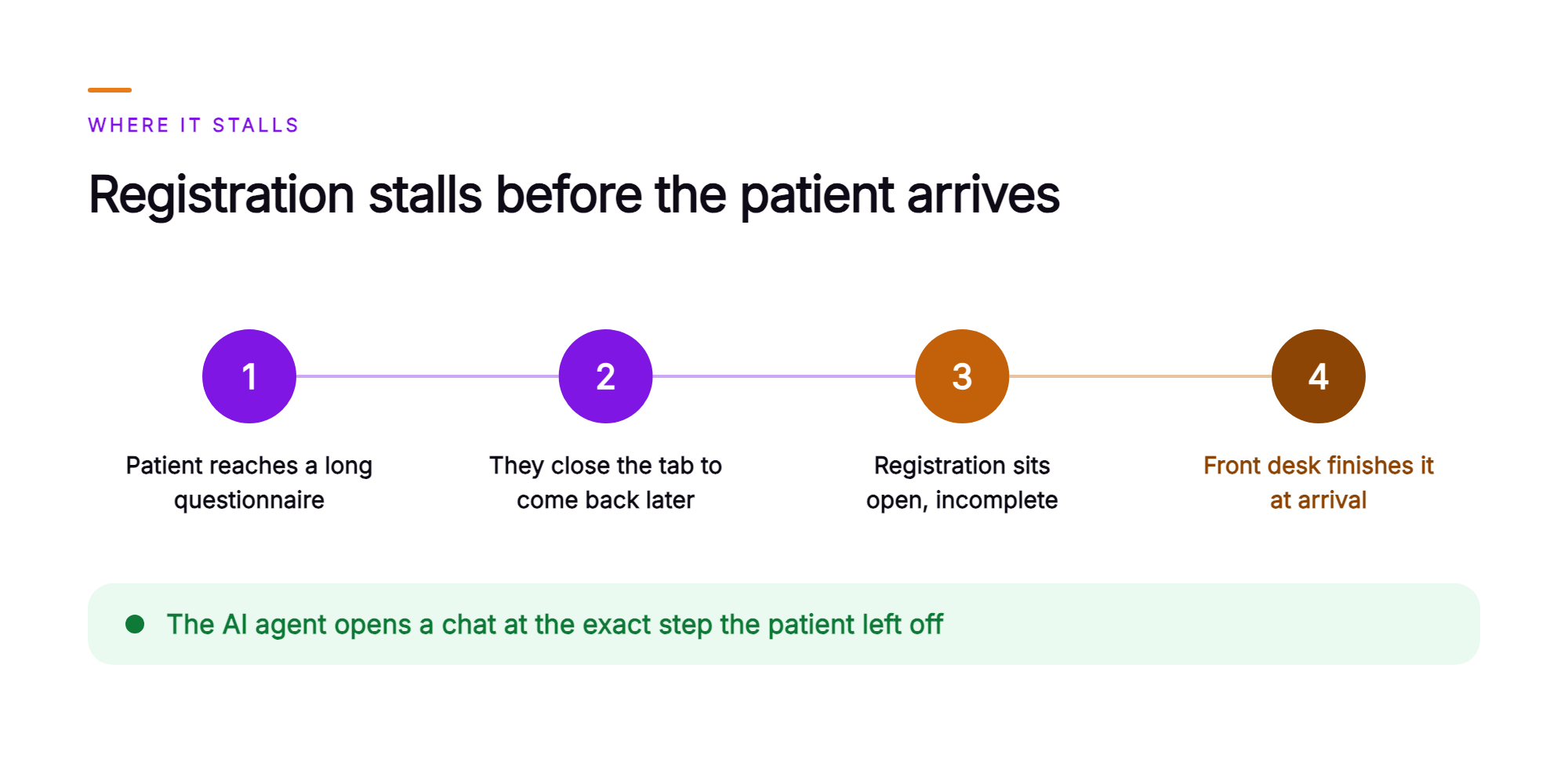
This sequence is familiar to patient access contact center operators. The organization sends the digital registration ahead of the visit. The patient opens it, confirms their address and phone number, moves through the first screens, then reaches a long intake questionnaire, a consent step, or an insurance section that asks for details they need to look up. They close the tab and intend to come back later. Many do not.
The registration sits open in the registration system, incomplete, waiting on someone. Either a rep calls the patient in the days before the visit and reads the same questions aloud, or the front desk finishes it at arrival while the patient stands at the counter and the schedule slips behind.
Two numbers carry this problem. The first is the digital registration completion rate, meaning the share of registrations patients start that reach the record complete before the visit. The second is the day-of-visit registration work that lands on the front desk whenever a registration stays open. Both move for the same reason.
What is pre-visit registration and forms assist?
Pre-visit registration and forms assist is an AI agent that picks up a stalled digital registration in chat, completes the provider organization's own registration steps conversationally, asks for anything missing, and writes the completed information to the organization's registration record.
Ownership is more important than mechanics. The registration fields, the intake forms and their logic, the identity rules, and the financial policies belong to the provider organization. The agent asks the organization's questions, applies the organization's rules, and staff review anything those rules send to a person.
This runs on Orvera AI, an agentic AI platform for enterprise customer experience. The AI agent for healthcare registration works in web and in-app chat, the same surface where patients already use portal chat and patient forms, and it sits on one platform that also carries voice, email, messaging, and every other channel Orvera runs. The conversation holds in the patient's preferred language across more than 80 languages, so the patient works through the intake questionnaire in that same language at the digital front desk.
What does the AI agent do when a patient's digital registration stalls?
When a registration stalls, the AI agent opens a chat at the exact step the patient left off, confirms who they are, and completes the remaining registration steps question by question.
Detection comes first. The organization defines the stall condition, such as a set idle period on a specific screen or an abandoned session on a form tied to an upcoming appointment. The agent picks the registration up at that point and works from the answers the patient already gave, so earlier progress carries over. Before it writes anything, it confirms the patient's identity using the organization's own identity rules.
Then the conversation does the work. The agent asks for each missing field one question at a time, in the order the organization's form sets. It follows the intake form's own branching, so a follow-up question appears when an earlier answer calls for it and stays hidden when it does not. It presents the organization's consent statements and financial policy acknowledgments in the wording the organization has approved for the patient's language. It reviews the completed answers with the patient before recording them.
What does one stalled registration look like when the agent picks it up in chat?
The agent picks up a stalled registration in chat, finishes the organization's own forms with the patient, and routes each item the organization's rules send to a person.
Consider a returning patient who books a follow-up visit with a large physician group. They open the digital registration the group sent, confirm their address, phone number, and pharmacy, then reach the updated intake questionnaire. The questionnaire is longer than the one they filled out last year. They stop on that screen, and the session sits idle.
The agent initiates a chat at that questionnaire. It confirms the patient's identity using the group's identity rules, then works through the remaining questions one at a time. The patient asks for an interpreter at the visit, so the agent follows the form's branching and asks the interpreter questions the form itself specifies, capturing the language and the preferred modality. The agent then presents the group's consent and financial policy acknowledgments in the group's own wording and records the patient's responses.
Then the patient mentions that their legal name differs from the name on the record. The group's rules send name changes to a registrar, so the agent does not write that change. It writes the rest of the completed registration to the record, opens the name change for registrar review, and attaches the conversation summary and transcript. The registrar reviews the name change ahead of the visit, with the patient's own words in front of them, and applies it through the group's own process.
Who owns the registration rules, and what does the agent do with them?
The provider organization owns every rule in pre-visit registration, and the agent executes those rules in chat as the organization wrote them.
- Registration fields. Owned by the organization. The agent asks for them in chat when they are missing.
- Intake forms and their branching. Owned by the organization. The agent follows them question by question, including the follow-ups an earlier answer triggers.
- Identity rules. Owned by the organization. The agent applies them before anything is written.
- Consent and financial policies. Owned by the organization. The agent presents them for the patient's acknowledgment in the wording the organization has approved for that language.
- The registration record. Owned by the organization. The agent writes the completed information there.
- Staff review rules. Owned by the organization. They send an item to the person the organization names, with the conversation summary and transcript attached.
The same rules hold across languages. A patient who prefers Spanish opens the registration in the organization's app and stops at the insurance section. The agent continues in Spanish, completes the same registration steps against the same forms and the same identity rules, and writes the completed information to the same registration record. AI patient intake automation runs the organization's one registration workflow for every patient, in any of more than 80 languages.
Why do health systems want the platform built, deployed, and run for them?
Health systems want the platform built, deployed, and run for them so patient access teams stay focused on patients while Orvera operates the conversational AI stack.
Orvera builds, deploys, and runs the AI agent and platform on the existing registration, scheduling, and contact center systems. A full enterprise deployment goes live in three to six weeks. Orvera's team also carries out integration, onboarding, knowledge-base setup of the organization's registration steps and forms, staff training, and change management.
The delivery model rests on 18+ years of contact-center experience. Healthcare contact center AI succeeds or fails on operational detail: how a stall is defined, which items a registrar must see, how a transcript reaches the reviewer.
Security and compliance reviewers ask about governance. Orvera audits every conversation, human-handled and AI-handled, across every channel. The platform is SOC 2 Type II certified, HIPAA compliant, and GDPR compliant. It supports 500+ integrations with CCaaS, CRM, helpdesk, and enterprise systems of record, including the systems already holding the registration record.
Which numbers tell a patient access leader the agent is working?
Four measures tell a patient access leader whether the agent is carrying registrations through to a complete record.
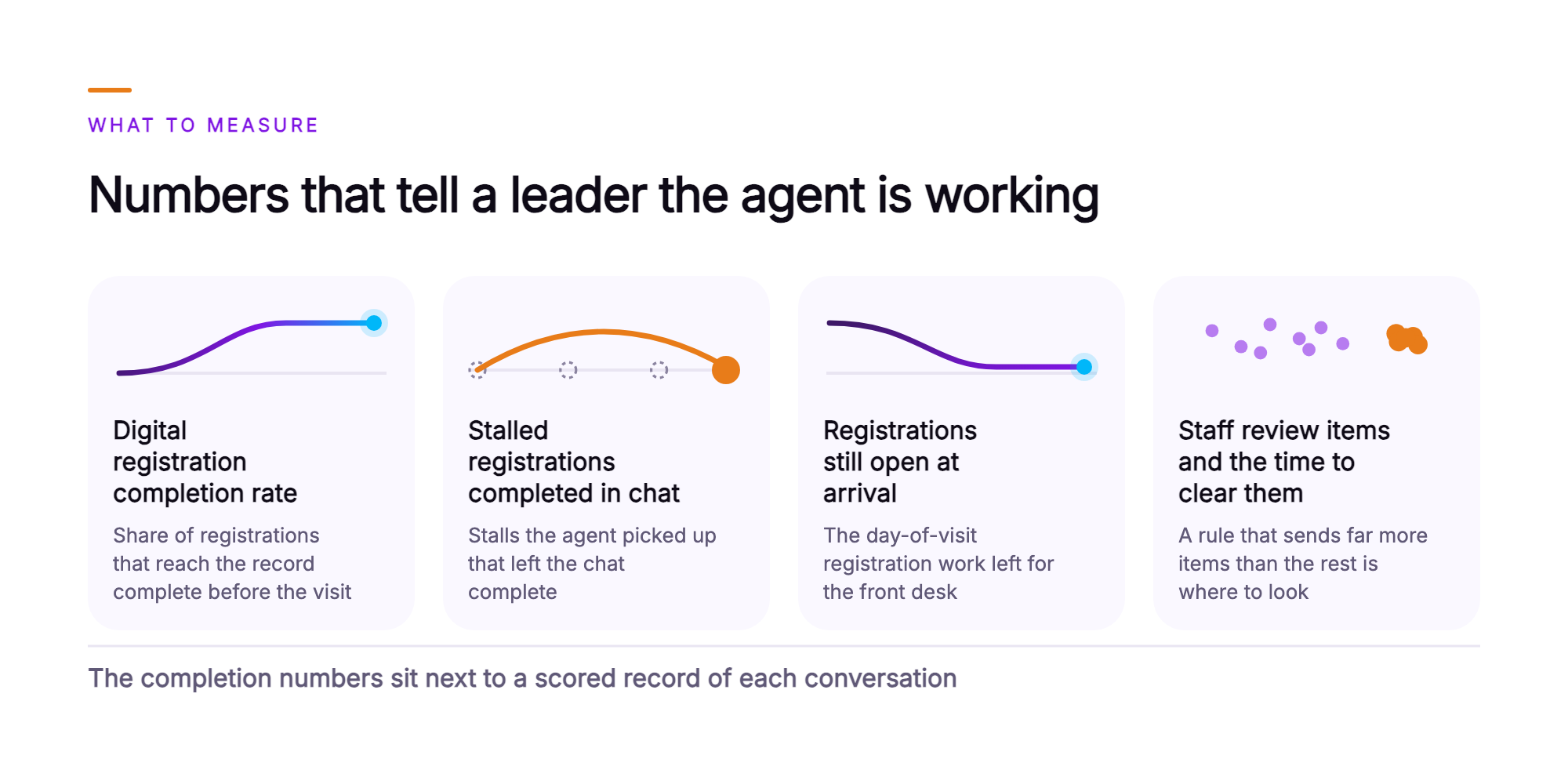
- Digital registration completion rate. Count the digital registrations that reach the record complete before the visit against the registrations patients start. This is the headline number, and it is the one leadership already recognizes.
- Stalled registrations completed in chat. Count the stalls the agent picked up, then count how many of those left the chat complete. This isolates the agent's contribution from every other completion path.
- Registrations still open at arrival. This is the day-of-visit registration work left for the front desk. Read it as a volume and as a share of scheduled visits.
- Items sent to staff review, and the time to clear them. Read each one by the organization rule that sent it. If one rule sends far more items than the rest, that rule is where to look.
All four read from the platform's report logs alongside the organization's own registration reporting. AI Quality Management audits every registration conversation, human-handled and AI-handled, so the completion numbers sit next to a scored record of how each conversation actually ran.
What should a VP of Patient Access take to the leadership team?
Take four points, each one answerable on its own when a CFO, a CIO, or a compliance officer pushes on it.
- The organization owns the rules. The registration fields, intake forms, identity rules, and financial policies stay the organization's own. The agent completes the organization's registration steps in chat and writes to the registration record. Staff review whatever the organization's rules send to a person.
- Every conversation is on the record. Each registration conversation is audited, human-handled and AI-handled, with a transcript and summary attached to it.
- Two measures carry the case. Report the digital registration completion rate, read beside the count of registrations still open at arrival. Those two numbers show whether work moved off the day of the visit.
- Delivery and controls are defined. Orvera builds, deploys, and runs the platform on the systems the organization already operates. A full enterprise deployment goes live in three to six weeks, and the platform is SOC 2 Type II certified, HIPAA compliant, and GDPR compliant.
What does patient access look like once the agent is running?
Once the agent is running, a stalled registration is picked back up in chat at the point the organization defines as a stall.
On the patient's side, the registration continues on their own device. When the registration stalls, the agent opens a chat at the step where it stopped, and the patient answers the organization's own questions one at a time, in their preferred language. Identity is confirmed, consents are acknowledged, and the patient reviews the completed answers before the agent records them.
On the team's side, the queue changes shape. Completed registrations land in the registration record ahead of the visit. Staff work the items the organization's rules send to a person, such as a name change, a coverage discrepancy, or a financial conversation that needs judgment. Leaders review the digital registration completion rate and report logs to identify stall points.
To review your registration steps, forms, and review rules against how this would run in your environment, talk to the team (opens in a new tab).
Frequently asked questions
The patient sees a chat message in the health system's web or in-app session that names the upcoming visit, opens at the point where registration stopped, and works from the answers already given, so earlier progress carries over. From there, the AI agent confirms the patient's identity using the organization's own rules, then asks each remaining question one at a time, in the patient's preferred language, across more than 80 languages. The chat ends with the patient confirming the completed answers. The agent then states which items, if any, go to a staff member for review under the organization's rules, so the patient leaves knowing what is outstanding.
The agent completes the fields and forms the provider organization puts in its own digital registration: demographics, contact details, emergency contacts, the insurance details provided by the patient, intake questionnaires, and consent and policy acknowledgments. The organization sets the list. Registration fields, intake forms, and their branching logic are configured during knowledge-base setup, and the agent follows each form question by question in the order the organization defines. With AI patient intake, the sequence follows the form's own branching, so a follow-up question appears when an earlier answer calls for it. Each completed answer is written to the organization's registration record. Anything the organization's rules route to a person goes to a staff member for review before it is written to the record.
The agent applies the provider organization's own identity rules, asking for the identifying details the organization requires and matching them against the registration record before it writes any answer. The write waits until those rules are satisfied. When the details differ from the record, the agent follows the organization's rule for that case, for example routing the item to a staff member for review along with the conversation summary and full transcript. The patient is told what happens next. Every pre-visit patient registration conversation carries a transcript and a report log. AI Quality Management audits every conversation, human-handled and AI-handled, across every channel, and the platform is SOC 2 Type II certified, HIPAA compliant, and GDPR compliant.
The agent sends that answer to the staff member the organization's rules name, with the conversation summary and transcript attached, and continues the remaining registration steps in the same chat. Each organization decides which categories go to a person and which staff receive them, for example a legal name or date of birth discrepancy to patient access staff, a clinical question about the visit to the care team, and a question about coverage or a bill to financial staff. On the patient's side, the agent states which item a staff member will review and what to expect. The staff member then picks it up with the patient's own words in front of them. That is the digital patient intake handoff, from the chat to the person who resolves the item.
Orvera AI builds, deploys, and integrates the agent into the registration, scheduling, and contact center systems already in use by the health system, drawing on 500+ integrations across healthcare, CCaaS, CRM, helpdesk, and other enterprise categories. The agent reads the upcoming visit from the scheduling system and the registration status from the registration system, then writes completed information back to the organization's registration record. That record remains the organization's one system of record, and every completed registration lives there. The platform is model-agnostic, with a governed layer between the models and the integrations. A health system can adopt newer models as they arrive while its integrations and registration rules stay in place, and Orvera manages that model layer so the agent keeps writing to the same patient registration software.
Orvera AI builds, deploys, and runs the platform on the systems the health system already uses, and a full enterprise deployment goes live in three to six weeks. Orvera's team also carries out onboarding, knowledge-base setup of the organization's registration fields, intake forms, and staff review rules, plus staff training and change management. It is one platform, adopted in stages, so a healthcare team building its virtual front desk can start with registration and extend from there. For security and compliance reviewers, the posture is SOC 2 Type II certified, HIPAA compliant, and GDPR compliant, backed by 18+ years of contact-center operations experience. To see how the agent completes registration using your forms and systems of record, talk to the team at Orvera AI.

Written by
Anindita Majumder
Anindita Majumder is a communications professional with nearly four years of experience in public relations, corporate communications, and journalism. She creates content that helps brands communicate their vision, products, and expertise through press releases, thought leadership, and editorial pieces. Outside of work, she is a vocalist, which keeps her creativity flowing.