Genesys Review: Is Genesys Cloud Right for Your CX Operation?
Our assessment is that it deserves a place on the shortlist when an enterprise wants to...

Key highlights
Key Highlights
- Genesys Cloud brings together customer engagement, voice and digital routing, AI agents, Agent Copilot, workforce tools, analytics, and business-system integrations
- Enterprises should evaluate how well customer requests move across channels, workflows, and systems, including when a human agent needs to take over
- Genesys supports AI-led workflow actions, but demonstrations should verify how business decisions are made, actions are executed, and approval requirements are handled
- Quality management and analytics should provide inspectable evidence of interaction outcomes, evaluation accuracy, and completed business actions
- Implementation readiness depends on feature availability, configuration requirements, integration reliability, and clear ownership of ongoing updates and support
- Before choosing Genesys Cloud, test a complete service request, including human approval, failed actions, final system records, and the responsibilities that remain after launch
Genesys Cloud combines voice and digital customer engagement with virtual agents, live agent assistance, and workforce tools. Our assessment is that it deserves a place on the shortlist when an enterprise wants to evaluate these functions together. The deciding evidence should be a service request completed through the configuration your team will actually use.
This Genesys review examines the platform through that lens: how a conversation reaches the right resource, how work moves into business systems, and what happens when a person needs to take over. Those connections deserve as much attention as the individual features.
What Is Genesys Cloud?
Genesys Cloud is a cloud platform for managing customer interactions and the work surrounding them. Its contact center as a service, or CCaaS, capabilities span customer engagement, routing, agent workflows, and operational oversight. Its documented functions also extend to customer-facing AI and workforce management.
Consider an order inquiry that becomes a refund request. The evaluation should follow the customer through order identification, policy checks, the refund decision, and any human approval. It should also show how the final result appears in the order or case system.
For a broader explanation of the platform categories, read our guide to CCaaS vs. UCaaS vs. CPaaS (opens in a new tab).
Genesys Cloud Features Reviewed
The Genesys features below address different parts of the service journey. Each deserves a separate test, followed by a demonstration of how they work together. Use the same customer request across the evaluation so that gaps between functions remain visible.
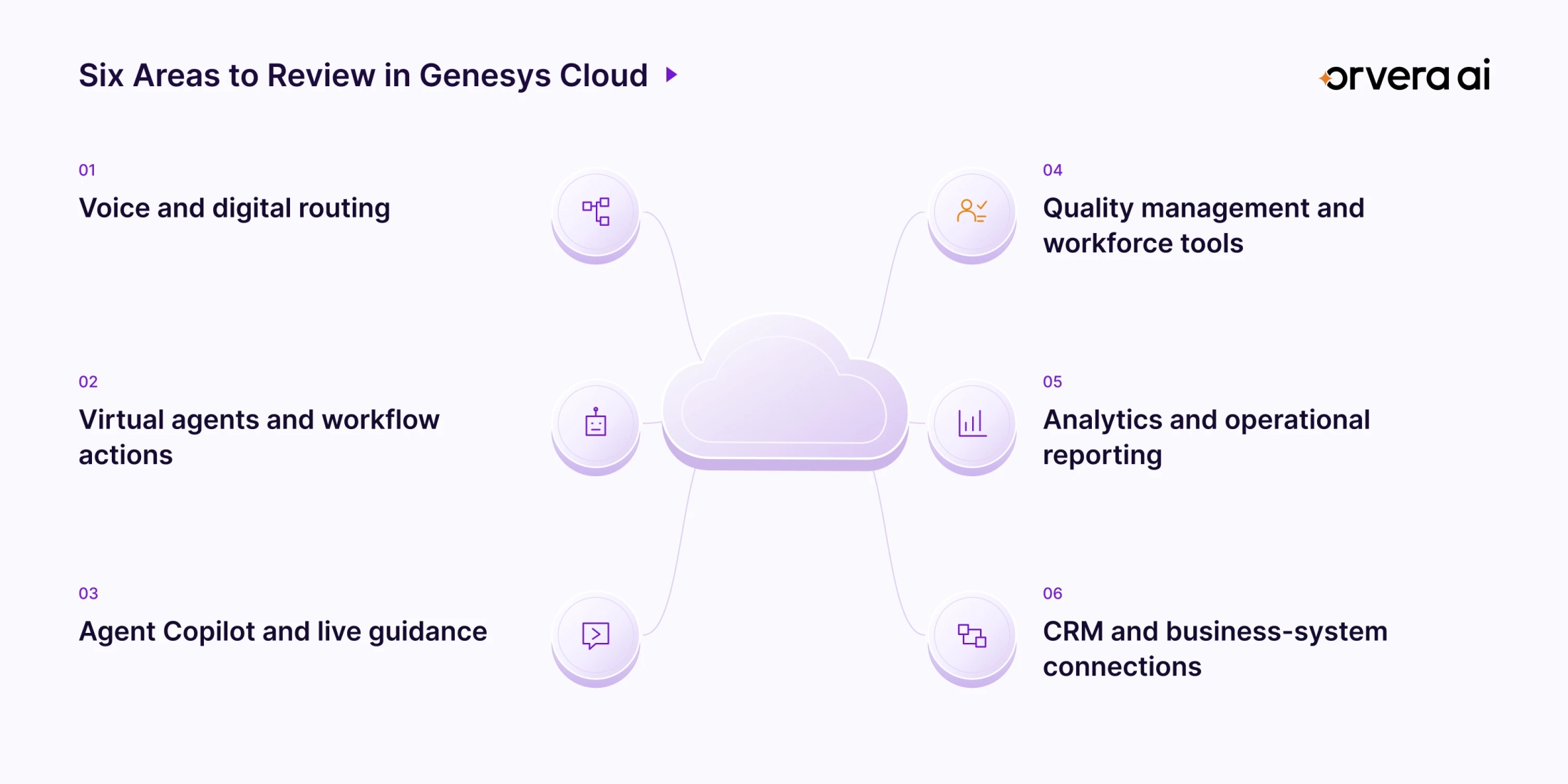
Voice, digital channels, and routing
Genesys documents messaging forms, appointment-time selection in Mobile Messenger, routing controls, and customer-first callbacks. Its routing documentation also describes how conversations remain queued when assignment-evaluation capacity is reached, with processing resuming as capacity becomes available.
That combination makes contact handling a meaningful area to evaluate. A messaging form, for example, offers a way to collect the details needed for the next service step. The next question is how those details reach the resource responsible for completing it.
Test a customer who starts digitally and then needs a phone conversation. Check the information visible at transfer, the queue selected, and the treatment of a pending callback. Ask for evidence of behavior under your expected traffic pattern, including interruptions and a request to speak with a person.
Virtual agents and customer workflow execution
Genesys' September 2, 2026 announcement confirms that Agentic Virtual Agent is generally available. Its August release documents controls that map a tool's returned result to instructions for the virtual agent. These are relevant capabilities for evaluating business actions during a conversation.
A useful demonstration should connect an answer to a specific action. For an eligible refund, ask the demonstrator to show the policy decision, the action sent to the order system, and the result returned to the customer. Then change one condition so the request needs approval.
The review should distinguish current functionality from announced work. Genesys scheduled additional capabilities, including AI-assisted authoring and expanded collaboration with other AI agents, for November 2026 through January 2027 in that announcement. Confirm their status separately before putting them into a deployment requirement.
Agent Copilot and live agent guidance
Genesys Agent Copilot supports connections to third-party applications that execute actions and return responses inside its panel. The documented response format supports source links, giving the human agent a route to the underlying information.
For CX leaders, this makes the quality of the assisted decision worth examining. During a policy exception, the agent needs the relevant rule, the current account situation, and a clear next action. Have the demonstrator show how that work appears in the agent's actual workspace.
Test the guidance with a question that requires clarification. Observe what the agent must verify before acting and how an incorrect suggestion is handled. Include after-call work in the exercise so the review captures what remains for the person to complete after the customer leaves.
Quality management and workforce tools
Genesys provides agreement scores in its evaluation-form editor. These indicate how closely automated questions align with human evaluations for the last published form version. This gives quality teams a concrete starting point for examining calibration.
Review a form your operation already uses. Ask how evaluators inspect disagreements, revise a question, and decide whether the revised form is ready. Separate the handling of a critical process failure from the calculation of an overall score.
Workforce scheduling is another documented area. Genesys supports changes to meal and break times under configured permissions and approval behavior.
Assess the two functions on their own requirements. Quality leaders should examine scoring and review. Workforce planners should examine schedule changes against the service coverage their operation needs.
Analytics and operational reporting
Genesys documents reporting across agent, queue, and interaction activity. Its October 5, 2026 release describes improvements to bulk metric exports and filters that distinguish automatically generated evaluations from manual evaluations.
The useful question is how a leader investigates an operational concern. Ask the demonstrator to start with a queue-level issue, identify the relevant interactions, and show the evidence behind the reported result. Check the date range, filters, and evaluation population used.
For a refund workflow, examine the conversation result alongside the order-system record. Agree on the evidence required to call the request complete. An accepted request, an approved refund, and a completed refund can represent different stages in your process. Reporting should make the stage being measured clear to the reviewer.
CRM and business-system integrations
Customer relationship management, or CRM, connections deserve a workflow-level review. Genesys' September documentation describes voicemail handling inside the Salesforce CX Cloud inbox and agent-first callback handling within its ServiceNow Unified Experience. These are examples of service tasks performed in connected workspaces.
Evaluate Genesys integrations against the exact records and actions your operation needs. Reading an order, updating a case, and requesting a refund each need their own demonstration. Confirm which application records the final result and how the agent sees that result.
Ask the same questions when a connection fails. Who owns the open request? What does the customer hear? What prevents the next agent from treating an incomplete update as finished? Document those answers before approving the workflow.
Genesys Cloud Strengths and Operational Trade-Offs
The documented product breadth supports a serious evaluation. The practical trade-off is the amount of configuration and operating coordination your chosen workflow requires. Our assessment treats that as a question to resolve in discovery and testing.
| Documented Strength | What It Gives the Evaluation | What to Validate |
|---|---|---|
| Customer engagement, AI, and workforce functions | Several stages of the customer journey can be assessed together | Demonstrate the required functions in the intended environment |
| Copilot actions and third-party responses | An assisted conversation can be evaluated alongside the connected action | Inspect the action result and the handling of an unsuccessful update |
| Agreement scores for automated evaluations | Quality teams have an explicit comparison with human evaluations | Review disagreements and the process for approving form changes |
| Documented feature releases and availability conditions | Buyers can track what has changed and what requires confirmation | Check regional rollout, permissions, and the status of each required feature |
Feature availability is a real purchasing consideration. Genesys states that access depends on factors including region readiness, product licensing, and its release schedule. Its September 28, 2026 release notes also mark individual features as postponed. A listing in a release announcement needs to be read with those conditions.
Ask for a capability map that records what was demonstrated, what requires configuration, and what remains unverified. Keep that map attached to the proposed workflow. This gives the buying team a shared basis for a decision and gives the implementation team a clear set of expectations.
What Setup and Ongoing Operation Involve
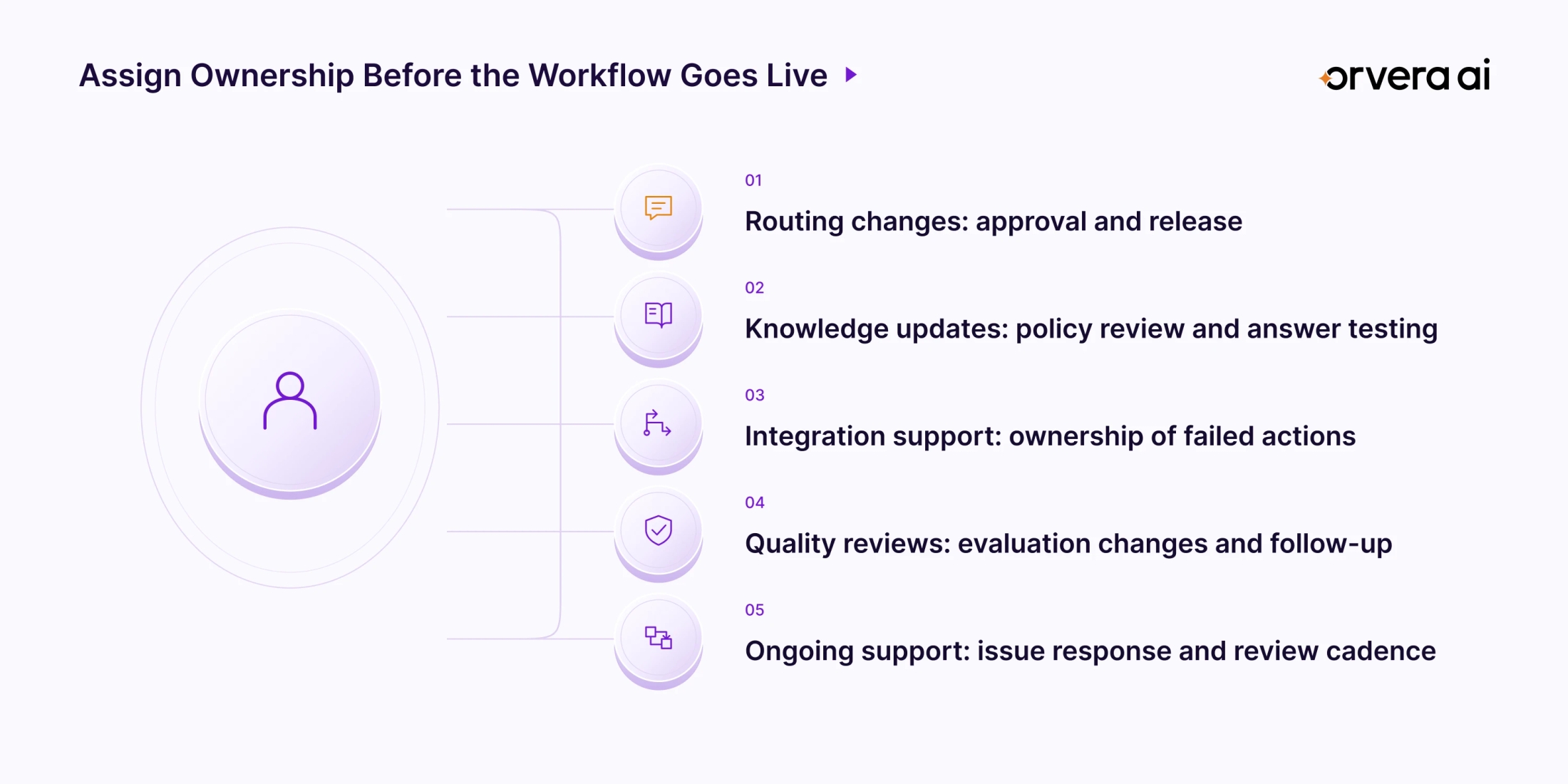
Evaluate implementation through the tasks your team will repeat after launch. Start with a routing change, a knowledge update, an integration adjustment, and an evaluation-form revision. Ask the people who will own those tasks to participate in the demonstration.
For routing, document how an approved change moves into production. For knowledge, establish who reviews a revised policy and tests the resulting answers. For integrations, identify the owner of each business-system dependency and the process for investigating failed actions.
Usability should be judged through those activities. Observe which steps an administrator completes directly and which need another team. Have an agent handle a transfer and correct a summary. Have a supervisor inspect a disputed evaluation and request a revision.
Then review the operating relationship. Who responds when a service workflow behaves unexpectedly? How does the team reproduce the issue, agree on a fix, and test the change? Ask for the applicable support process and escalation route. Use the answers to establish ownership before rollout and a review cadence afterward.
Where to Find Genesys Cloud Pricing
For the separate commercial evaluation, read our Genesys Cloud pricing (opens in a new tab) guide. Keep the workflow and required capabilities defined as you assess the relevant Genesys configuration. This review focuses on product fit, demonstrated service handling, and ongoing operating responsibility. Pricing should be evaluated against that documented requirement.
What to Validate in a Genesys Cloud Demo
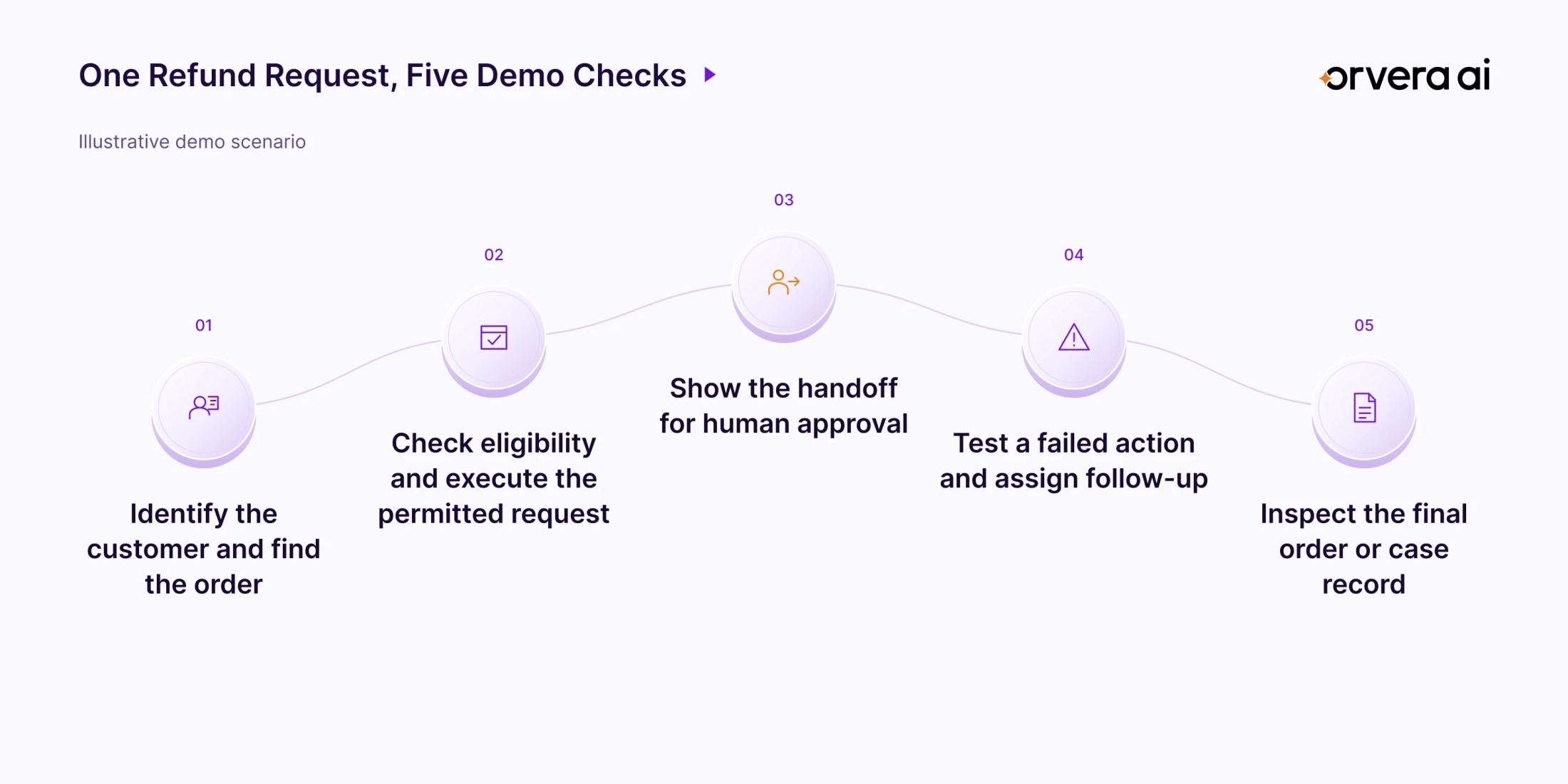
Use the following hypothetical retail scenario as a proposed test: a customer asks about an order, requests a refund, and needs a person when the request requires approval. Agree on the expected result before the demonstration.
1. Find the right order. Identify the customer and retrieve the correct purchase. Ask which policy governs the next action and what happens when the supplied details are incomplete.
2. Execute the permitted request. Demonstrate an eligible refund and a request that requires approval. Inspect the order or case record that confirms the action taken.
3. Hand off to a person. Examine the summary, pending decision, and recommended next step visible to the receiving agent. Check whether the customer must repeat information already supplied.
4. Introduce a failed action. Make the connected system unavailable or return an unsuccessful result. Observe the customer response, the follow-up owner, and how the request stays visible.
5. Review the evidence. Locate the interaction and its evaluation, then inspect the final business record. Identify any remaining work and the status the customer received.
Keep a written record of the demonstration. Note the configuration used, each observed result, and any step handled outside the platform. Treat an untested path as an open requirement. Repeat the relevant steps after a configuration change so the approval reflects the version intended for launch.
Using Orvera AI With Genesys
Orvera AI is an agentic AI platform for enterprise customer experience, built, deployed, integrated, and run by Orvera on the customer's behalf.
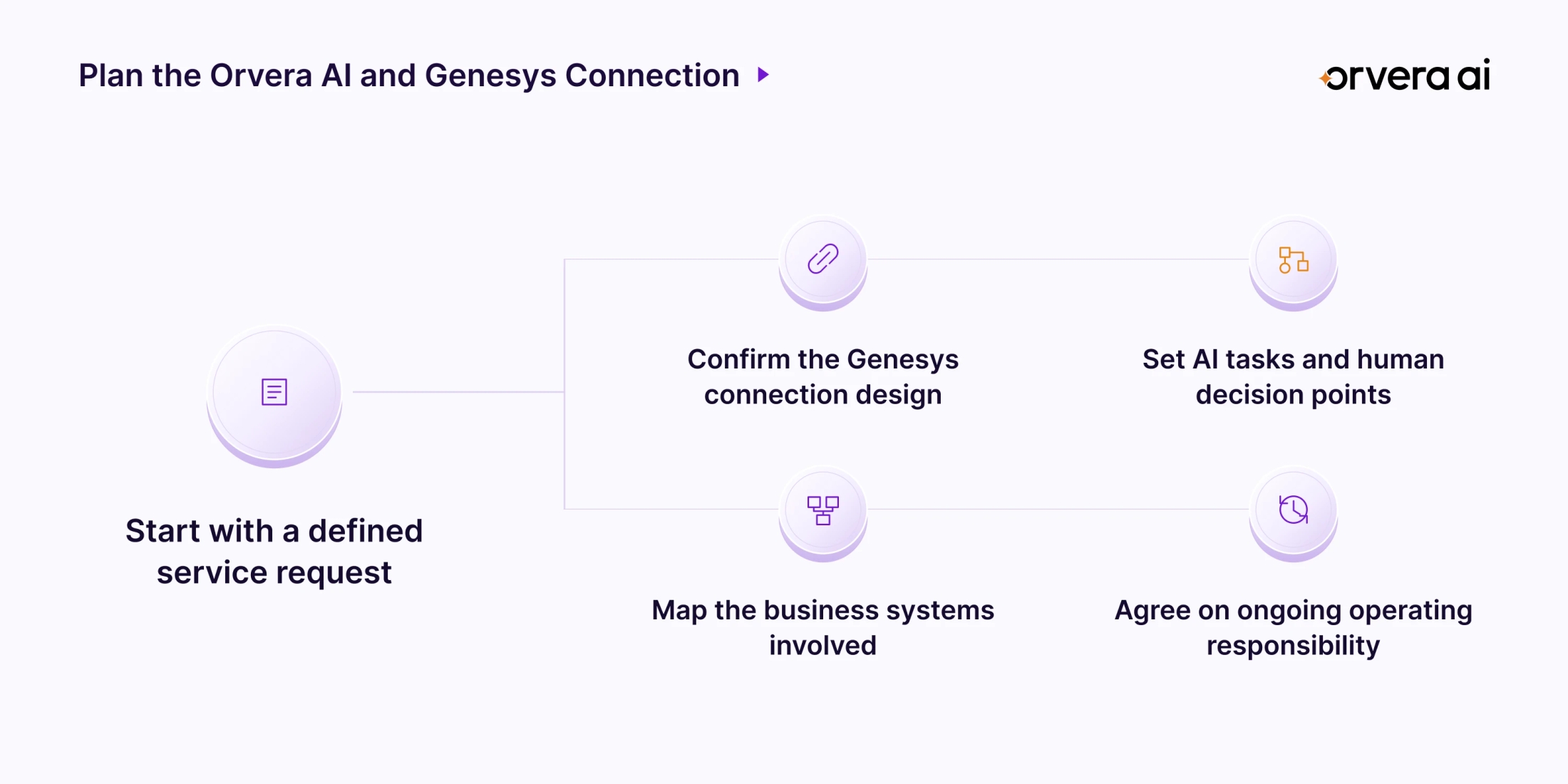
Orvera integrates with Genesys and Genesys Cloud. The connection design is confirmed for the specific implementation. The Orvera AI and Genesys integration (opens in a new tab) page is a starting point for a discussion about the service workflow and systems involved.
For human-handled conversations, Orvera AI Agent Assist (opens in a new tab) provides real-time next-step guidance, knowledge suggestions with citations, and interaction summaries. These capabilities support the person working through the customer's request.
Orvera's delivery model covers building the solution, deploying it, connecting it to the customer's existing systems, and operating it with the customer. The work continues through ongoing support and optimization.
Evaluate the connection around a defined responsibility: the task the AI handles, the decision that stays with a person, and the systems involved in completing the request. This keeps the discussion specific to how your Genesys environment will operate.
Final Verdict
Our assessment is that Genesys Cloud merits a shortlist position when the requirement brings customer engagement, AI-led service, agent assistance, and workforce operations together. Its documented capabilities provide enough substance to move into a workflow demonstration.
Approve the configuration against a completed service request, a usable human handoff, inspectable quality evidence, and clear ownership after launch. Keep unverified requirements visible until they have been demonstrated.
For broader vendor research, explore our guide to the best conversational AI platforms (opens in a new tab). Use the same service scenario across the shortlist so every evaluation answers the same operational question.

Written by
Anindita Majumder
Anindita Majumder is a communications professional with nearly four years of experience in public relations, corporate communications, and journalism. She creates content that helps brands communicate their vision, products, and expertise through press releases, thought leadership, and editorial pieces. Outside of work, she is a vocalist, which keeps her creativity flowing.